Social media image sizes change constantly. Platforms update their layouts, add new formats, and shift their recommended dimensions — sometimes without any announcement. Upload the wrong size and your content gets cropped awkwardly, compressed into a blurry mess, or buried by the algorithm because it looks unprofessional.
This guide covers every image and video dimension you need for Instagram, Facebook, TikTok, YouTube, LinkedIn, X (Twitter), Threads, Pinterest, and Snapchat in 2026. Bookmark it. You'll come back to it often.
Resize once, post everywhere. PostEverywhere automatically optimises your images for each platform, no manual cropping required. Start your 7-day trial →
Quick Reference Table
This is the cheat sheet. It covers the most common placements across every major platform. For detailed specs, file size limits, and ad dimensions, see each platform section below.
| Platform | Profile Photo | Feed Post | Stories / Reels / Shorts | Cover / Banner |
|---|---|---|---|---|
| 320×320 (1:1) | 1080×1350 (4:5) | 1080×1920 (9:16) | N/A | |
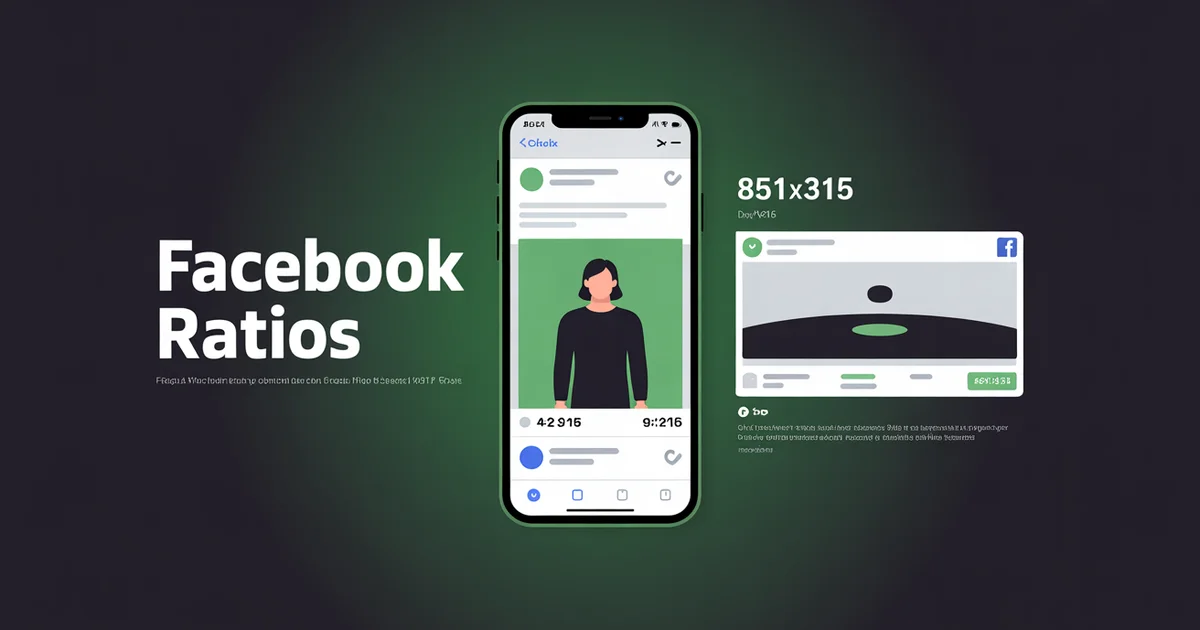
| 320×320 (1:1) | 1080×1350 (4:5) | 1080×1920 (9:16) | 851×315 | |
| TikTok | 200×200 (1:1) | N/A | 1080×1920 (9:16) | N/A |
| YouTube | 800×800 (1:1) | 1080×1080 (1:1) | 1080×1920 (9:16) | 2560×1440 |
| 400×400 (1:1) | 1080×1350 (4:5) | N/A | 1584×396 | |
| X (Twitter) | 400×400 (1:1) | 1600×900 (16:9) | N/A | 1500×500 |
| Threads | 320×320 (1:1) | 1080×1350 (4:5) | 1080×1920 (9:16) | N/A |
| 280×280 (1:1) | 1000×1500 (2:3) | 1080×1920 (9:16) | N/A | |
| Snapchat | 320×320 (1:1) | N/A | 1080×1920 (9:16) | N/A |
Key takeaway: 1080px width is the universal standard. If you only remember one aspect ratio, make it 4:5 for feed posts and 9:16 for vertical video.
Social Media Aspect Ratios: The Four That Matter
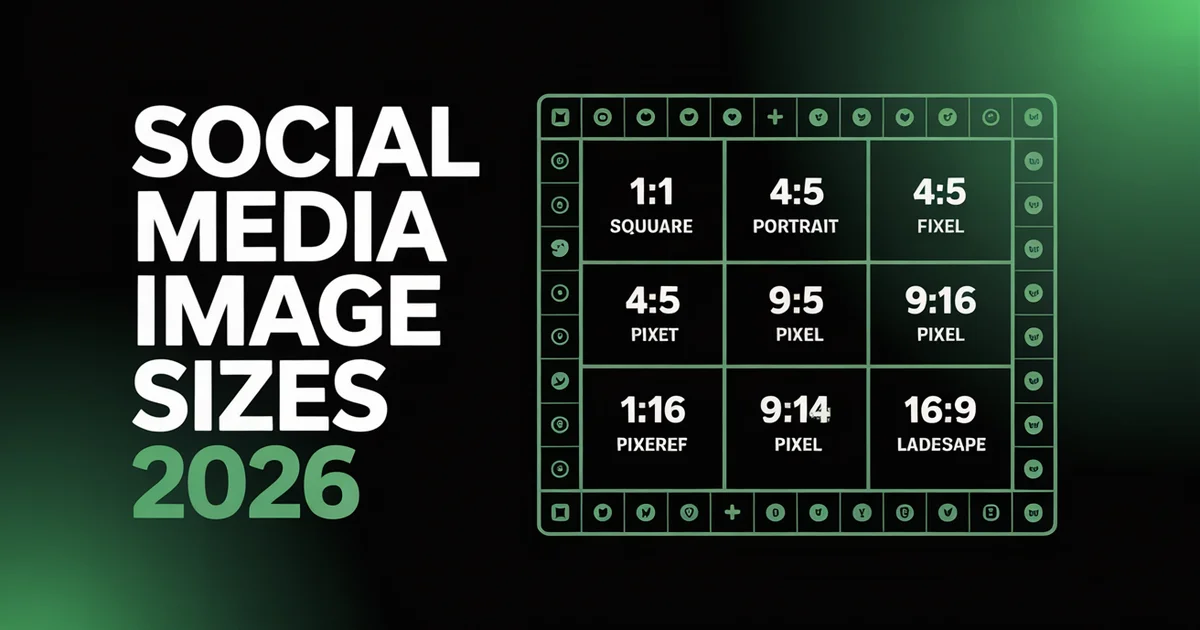
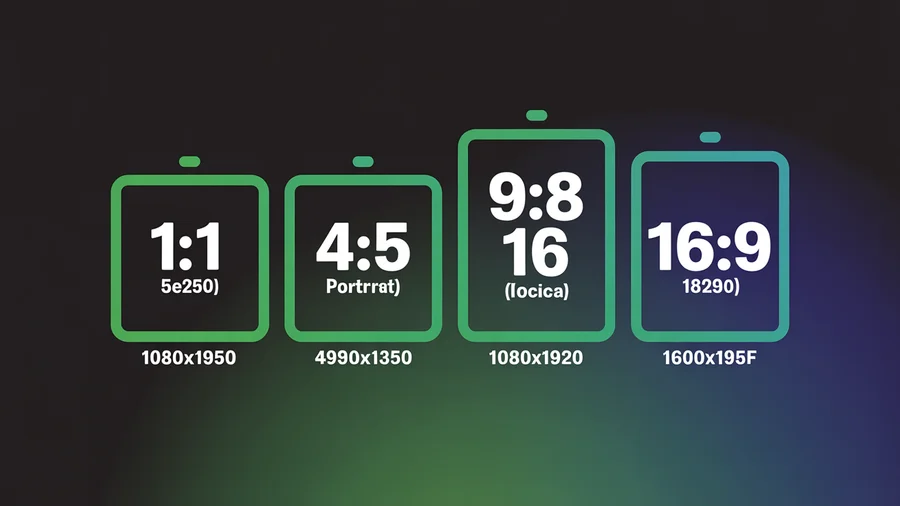
Pixel sizes vary by placement, but almost every post on social media uses one of four aspect ratios. Pick the ratio first, then export at the pixel size in the table above.
| Aspect ratio | Pixels | Where it wins |
|---|---|---|
| 9:16 vertical | 1080×1920 | Reels, TikTok, YouTube Shorts, Stories, LinkedIn vertical video, Pinterest video |
| 4:5 portrait | 1080×1350 | Instagram, Facebook, LinkedIn and Threads feed images, carousel slides |
| 1:1 square | 1080×1080 | One asset for every network, X feed images, profile pictures |
| 16:9 landscape | 1920×1080 | YouTube long-form and thumbnails, X video, link previews, screen recordings |
Pinterest is the exception: use 2:3 (1000×1500), where square Pins underperform.
The 30-second rule: make one 9:16 master asset (1080×1920) with everything important inside the centre 4:5 box, then crop down. From that one file you can export a 9:16 Reel, TikTok or Short, a 4:5 feed post, a 1:1 square and a 16:9 link image without re-shooting.
You cannot crop the other way without losing quality, which is why vertical is the safe default.
When the ratio is wrong, platforms either crop your content (cutting off faces or text) or add letterbox bars, and both cost you attention in the feed. For per-platform ratio detail, see the Instagram, TikTok, YouTube and LinkedIn aspect ratio guides.
Instagram Image Sizes
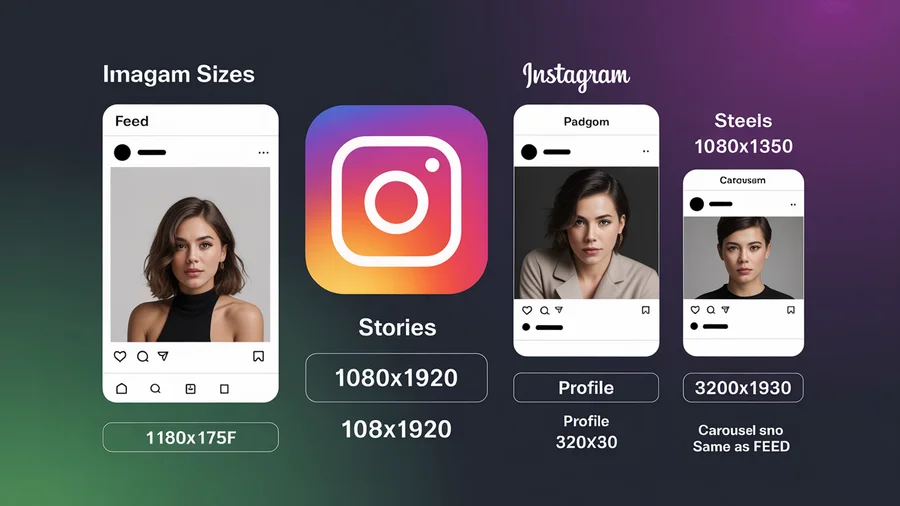
Instagram is the most format-diverse platform. You need different dimensions for feed posts, Stories, Reels, carousels, and ads. Getting these right matters because Instagram compresses images aggressively — uploading at the correct resolution gives the algorithm the least reason to degrade your quality.
Instagram Feed Posts
| Placement | Dimensions (px) | Aspect Ratio | Max File Size | Format |
|---|---|---|---|---|
| Square | 1080×1080 | 1:1 | 30 MB | JPG, PNG |
| Portrait | 1080×1350 | 4:5 | 30 MB | JPG, PNG |
| Landscape | 1080×566 | 1.91:1 | 30 MB | JPG, PNG |
Portrait (4:5) is the best choice for engagement. It takes up the most screen real estate in the feed, which means users spend more time looking at your content. Unless you have a specific reason to use square or landscape, default to 1080×1350.
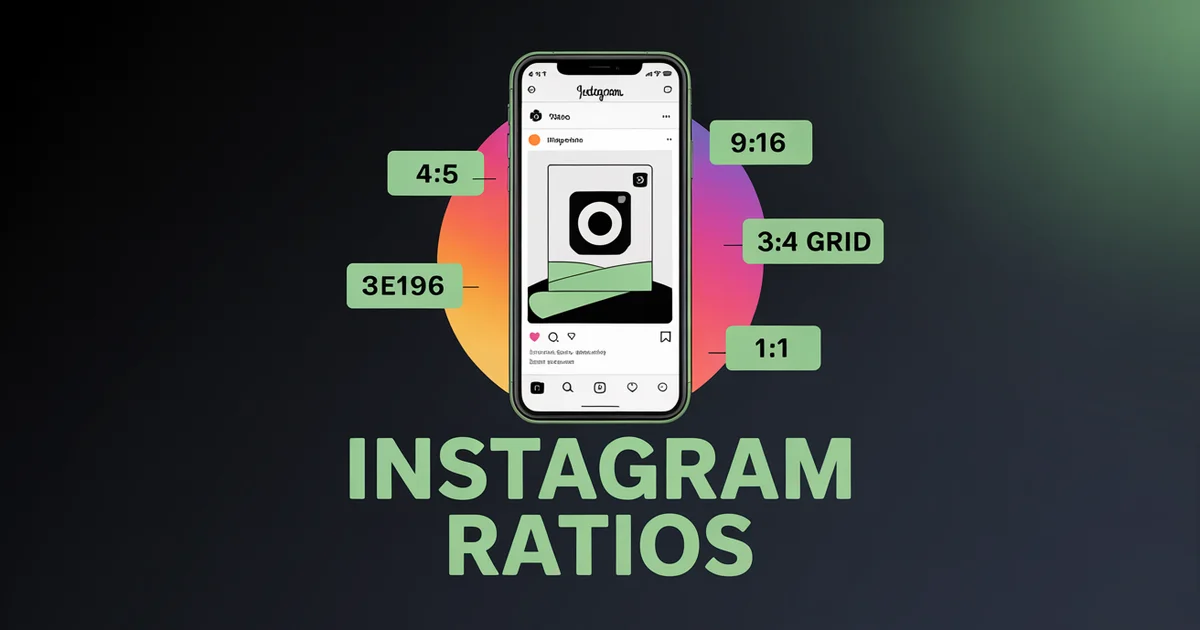
Instagram's grid now uses a taller thumbnail format at 3:4. This means your 4:5 portrait images will be slightly cropped on the grid view — keep key visual elements centred.
Instagram Stories
| Placement | Dimensions (px) | Aspect Ratio | Max File Size | Format |
|---|---|---|---|---|
| Stories | 1080×1920 | 9:16 | 30 MB (image), 250 MB (video) | JPG, PNG, MP4 |
Safe zone: Keep all text and important elements within the centre 1080×1610px area. The top and bottom 155px on each side are covered by the username bar and reply bar.
Want to schedule your Stories in advance? See how our Instagram scheduler handles Stories.
Instagram Reels
| Placement | Dimensions (px) | Aspect Ratio | Max Duration | Format |
|---|---|---|---|---|
| Reels video | 1080×1920 | 9:16 | 15 minutes | MP4, MOV |
| Reels cover / grid thumbnail | 1080×1440 | 3:4 | N/A | JPG, PNG |
Reels display full-screen at 9:16, but the grid thumbnail crops to 3:4. Design your cover image with this crop in mind, or upload a custom cover that works at 3:4. Our Instagram scheduler lets you schedule Reels in advance.
Instagram Carousels
| Placement | Dimensions (px) | Aspect Ratio | Max Slides | Format |
|---|---|---|---|---|
| Square carousel | 1080×1080 | 1:1 | 20 | JPG, PNG, MP4 |
| Portrait carousel | 1080×1350 | 4:5 | 20 | JPG, PNG, MP4 |
All slides in a carousel must use the same aspect ratio. The first slide sets the ratio for the entire post. Instagram now supports up to 20 slides per carousel, up from the previous limit of 10.
To schedule carousels in advance, use our Instagram scheduler.
Instagram Ad Sizes
| Placement | Dimensions (px) | Aspect Ratio | Format |
|---|---|---|---|
| Feed ad (square) | 1440×1440 | 1:1 | JPG, PNG |
| Feed ad (portrait) | 1440×1800 | 4:5 | JPG, PNG |
| Stories / Reels ad | 1440×2560 | 9:16 | JPG, PNG, MP4 |
For ads, upload at higher resolution than organic posts. Meta's ad system compresses images during delivery, so starting with 1440px width gives you a quality buffer. According to Instagram's help centre, minimum resolution for ads is 500px wide, but higher is always better.
Instagram Profile Photo
| Placement | Dimensions (px) | Aspect Ratio | Format |
|---|---|---|---|
| Profile photo | 320×320 | 1:1 | JPG, PNG |
Upload at 320×320 minimum. It displays as a circle, so keep your logo or face centred and away from the edges. If you manage multiple Instagram accounts, a social media scheduler keeps your branding consistent across all of them.
Facebook Image Sizes
Facebook has more placement types than any other platform. Since June 2025, all Facebook videos are now Reels — there is no separate "video post" format. Keep that in mind when planning your content.
Facebook Feed Posts
| Placement | Dimensions (px) | Aspect Ratio | Max File Size | Format |
|---|---|---|---|---|
| Square | 1080×1080 | 1:1 | 30 MB | JPG, PNG |
| Portrait | 1080×1350 | 4:5 | 30 MB | JPG, PNG |
| Landscape | 1080×566 | 1.91:1 | 30 MB | JPG, PNG |
| Link share image | 1200×630 | 1.91:1 | 30 MB | JPG, PNG |
Portrait posts (4:5) perform best on Facebook's mobile feed for the same reason as Instagram: more screen real estate. For link shares, Facebook pulls the og:image from your URL — make sure it is at least 1200×630px.
Facebook Cover Photo
| Placement | Dimensions (px) | Aspect Ratio | Notes |
|---|---|---|---|
| Cover photo | 851×315 | 2.7:1 | Displays at 820×312 on desktop, 640×360 on mobile |
| Safe zone | 820×360 | — | Keep all text and logos inside this area |
The Facebook cover photo crops differently on desktop and mobile. Design at 851×315 but keep critical content within the centre 820×360px to avoid unexpected cropping on phones.
Facebook Stories & Reels
| Placement | Dimensions (px) | Aspect Ratio | Max Duration | Format |
|---|---|---|---|---|
| Stories | 1080×1920 | 9:16 | 26 seconds (image), 60 seconds (video) | JPG, PNG, MP4 |
| Reels | 1080×1920 | 9:16 | 15 minutes | MP4, MOV |
All video content on Facebook is now classified as Reels. If you schedule a video through the Facebook scheduler, it will be published as a Reel automatically.
Facebook Event & Group Covers
| Placement | Dimensions (px) | Aspect Ratio | Format |
|---|---|---|---|
| Event cover | 1920×1005 | 1.91:1 | JPG, PNG |
| Group cover | 1640×856 | 1.91:1 | JPG, PNG |
Facebook Profile Photo & Ad Sizes
| Placement | Dimensions (px) | Aspect Ratio | Format |
|---|---|---|---|
| Profile photo | 320×320 | 1:1 | JPG, PNG |
| Feed ad | 1080×1080 or 1080×1350 | 1:1 or 4:5 | JPG, PNG |
| Stories / Reels ad | 1080×1920 | 9:16 | JPG, PNG, MP4 |
| Right column ad | 1080×1080 | 1:1 | JPG, PNG |
For a detailed breakdown of Facebook ad specs, refer to Meta's ads guide. According to Sprout Social's image sizes guide, uploading at the exact recommended dimensions prevents Facebook from resizing and compressing your images unnecessarily.
TikTok Image & Video Sizes
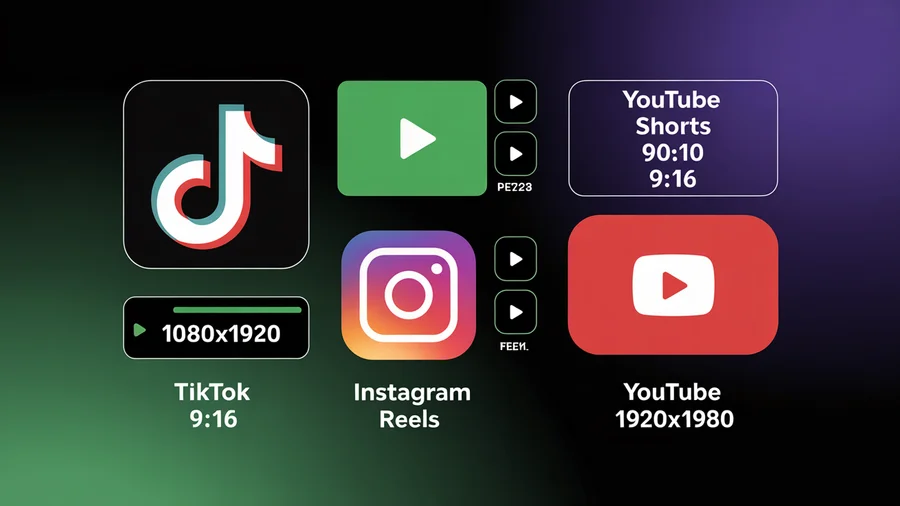
TikTok is a vertical-first platform. Nearly everything uses the 9:16 aspect ratio. Use our TikTok scheduler to schedule your TikTok content at optimal times. The introduction of Photo Mode (carousels) in 2024 added a new image format, but vertical still dominates.
TikTok Video
| Placement | Dimensions (px) | Aspect Ratio | Max Duration | Max File Size | Format |
|---|---|---|---|---|---|
| Standard video | 1080×1920 | 9:16 | 60 minutes | 10 GB (desktop), 287 MB (mobile) | MP4, MOV, WebM |
Always upload at 1080×1920. TikTok can accept lower resolutions, but the algorithm favours high-quality video. Blurry or pixelated content gets deprioritised in the For You feed.
TikTok Photo Mode (Carousel)
| Placement | Dimensions (px) | Aspect Ratio | Max Slides | Format |
|---|---|---|---|---|
| Photo Mode (portrait) | 1080×1920 | 9:16 | 35 | JPG, PNG |
| Photo Mode (4:5) | 1080×1350 | 4:5 | 35 | JPG, PNG |
TikTok carousels support 4 to 35 images. You can use either 9:16 or 4:5 — but 9:16 fills the full screen and tends to perform better. Build them at the right size with our TikTok carousel maker, which exports up to 35 slides at 1080x1920.
Learn how to create TikTok carousels in our TikTok slideshow guide.
TikTok Profile & Ads
| Placement | Dimensions (px) | Aspect Ratio | Format |
|---|---|---|---|
| Profile photo | 200×200 (min) | 1:1 | JPG, PNG |
| In-feed ad | 1080×1920 | 9:16 | MP4, MOV |
| Spark ad | 1080×1920 | 9:16 | MP4, MOV |
Schedule your TikTok content in advance with our TikTok scheduling guide.
Create scroll-stopping visuals in seconds. PostEverywhere's AI Image Generator creates platform-ready graphics at the right dimensions for every network. Start your 7-day trial →
YouTube Image Sizes
YouTube has fewer image placements than social platforms, but each one is critical. Your thumbnail is arguably the most important image in your entire content strategy — it directly determines your click-through rate.
YouTube Thumbnail
| Placement | Dimensions (px) | Aspect Ratio | Max File Size | Format |
|---|---|---|---|---|
| Video thumbnail | 1280×720 | 16:9 | 2 MB | JPG, PNG, GIF, BMP |
A strong thumbnail can double or triple your views. Use high contrast, readable text (if any), and close-up faces when possible. To design one quickly, try our free YouTube thumbnail maker.
YouTube Channel Banner
| Placement | Dimensions (px) | Aspect Ratio | Notes |
|---|---|---|---|
| Banner (full) | 2560×1440 | 16:9 | Full size only visible on TV displays |
| Safe area (all devices) | 1546×423 | — | Keep text and logos inside this zone |
| Desktop visible area | 2560×423 | — | What most viewers see |
| Mobile visible area | 1546×423 | — | Smallest visible area |
The YouTube banner is one of the trickiest images to design. Upload at the full 2560×1440, but place all critical content (logo, tagline, social handles) within the 1546×423px safe area. This ensures it looks correct on phones, tablets, desktops, and TVs.
YouTube Shorts
| Placement | Dimensions (px) | Aspect Ratio | Max Duration | Format |
|---|---|---|---|---|
| Shorts | 1080×1920 | 9:16 | 3 minutes | MP4, MOV |
Shorts follow the same 9:16 vertical format used across all short-form video platforms. Schedule them ahead of time with our YouTube scheduler.
YouTube Profile & Community Posts
| Placement | Dimensions (px) | Aspect Ratio | Format |
|---|---|---|---|
| Profile photo | 800×800 | 1:1 | JPG, PNG |
| Community post image | 1080×1080 | 1:1 | JPG, PNG, GIF |
Upload your YouTube profile photo at 800×800 for the sharpest quality. It displays as a circle across YouTube and Google services. You can schedule YouTube uploads in advance with our YouTube scheduler.
LinkedIn Image Sizes
LinkedIn has evolved significantly as a visual platform. Carousels (PDF uploads), portrait images, and video now drive strong engagement alongside traditional text posts. Getting your dimensions right signals professionalism — important on a platform where your audience includes hiring managers, clients, and industry peers.
LinkedIn Feed Posts
| Placement | Dimensions (px) | Aspect Ratio | Max File Size | Format |
|---|---|---|---|---|
| Square | 1080×1080 | 1:1 | 10 MB | JPG, PNG |
| Landscape | 1200×627 | 1.91:1 | 10 MB | JPG, PNG |
| Portrait | 1080×1350 | 4:5 | 10 MB | JPG, PNG |
Portrait (4:5) takes up the most feed space on mobile and consistently outperforms other formats for engagement on LinkedIn. According to LinkedIn's help documentation, images should be at least 552px wide for optimal display.
LinkedIn Carousel (PDF)
| Placement | Dimensions (px) | Aspect Ratio | Max Slides | Max File Size |
|---|---|---|---|---|
| Carousel (square) | 1080×1080 | 1:1 | 300 pages | 100 MB |
| Carousel (portrait) | 1080×1350 | 4:5 | 300 pages | 100 MB |
LinkedIn carousels are uploaded as PDF files. Each page becomes a swipeable slide. To schedule them in advance, use our LinkedIn scheduler.
LinkedIn Profile & Company
| Placement | Dimensions (px) | Aspect Ratio | Format |
|---|---|---|---|
| Personal profile photo | 400×400 | 1:1 | JPG, PNG |
| Personal banner | 1584×396 | 4:1 | JPG, PNG |
| Company logo | 400×400 | 1:1 | PNG |
| Company cover | 1128×191 | 5.9:1 | JPG, PNG |
| Article cover image | 1920×1080 | 16:9 | JPG, PNG |
The company cover image on LinkedIn is extremely wide and narrow. Avoid placing small text on it. Use bold graphics or a simple brand pattern instead. Getting your LinkedIn banner size right from the start saves you from redesigning it later, since a template built for the wrong dimensions often ends up looking stretched or cropped once it's live.
Manage your LinkedIn presence more efficiently with a LinkedIn scheduler.
LinkedIn Ad Sizes
| Placement | Dimensions (px) | Aspect Ratio | Format |
|---|---|---|---|
| Sponsored content (single image) | 1200×627 | 1.91:1 | JPG, PNG |
| Sponsored content (square) | 1080×1080 | 1:1 | JPG, PNG |
| Message ad banner | 300×250 | 6:5 | JPG, PNG |
| Text ad | 100×100 | 1:1 | JPG, PNG |
X (Twitter) Image Sizes
X displays images differently depending on how many you upload. A single image expands to fill the full preview area, while multi-image posts use cropped thumbnails. Understanding these crops helps you compose images that look good in every context.
X Feed Images
| Placement | Dimensions (px) | Aspect Ratio | Max File Size | Format |
|---|---|---|---|---|
| Single image (landscape) | 1600×900 | 16:9 | 5 MB (image), 15 MB (GIF) | JPG, PNG, GIF, WebP |
| Single image (square) | 1080×1080 | 1:1 | 5 MB | JPG, PNG, WebP |
| Single image (portrait) | 1080×1350 | 4:5 | 5 MB | JPG, PNG, WebP |
For single-image posts, 16:9 landscape (1600×900) gets the largest preview in the timeline. However, if your content works better as a portrait, 4:5 is also well-supported.
When posting multiple images, X crops them into a grid. Two images display side by side at roughly 7:8 each. Four images display in a 2×2 grid. Keep important content centred to survive the crop.
X Cards
| Placement | Dimensions (px) | Aspect Ratio | Format |
|---|---|---|---|
| Summary card (large image) | 1200×628 | 1.91:1 | JPG, PNG |
| Summary card (small) | 400×400 | 1:1 | JPG, PNG |
X Cards are the preview images that appear when you share a link. Set the correct og:image and twitter:image meta tags on your website to control how your links appear.
As Hootsuite's image size guide notes, summary cards with large images consistently get higher engagement than small cards. To confirm a URL is rendering its card the way you intend, drop it into our Twitter card validator before posting.
X Profile & Header
| Placement | Dimensions (px) | Aspect Ratio | Format |
|---|---|---|---|
| Profile photo | 400×400 | 1:1 | JPG, PNG |
| Header image | 1500×500 | 3:1 | JPG, PNG |
The X header image is wider than Facebook's cover photo. Design at 1500×500 and keep text away from the left side, where the profile photo overlaps the header on mobile. Schedule your X posts in advance using the X scheduler.
X Ad Sizes
| Placement | Dimensions (px) | Aspect Ratio | Format |
|---|---|---|---|
| Image ad (landscape) | 800×418 | 1.91:1 | JPG, PNG |
| Image ad (square) | 800×800 | 1:1 | JPG, PNG |
| Video ad | 1200×1200 or 1920×1080 | 1:1 or 16:9 | MP4 |
Threads Image Sizes
Threads, Meta's text-based platform, keeps things relatively simple. It supports images, carousels, and video, all using familiar Meta dimensions.
Threads Feed Posts
| Placement | Dimensions (px) | Aspect Ratio | Max Images | Format |
|---|---|---|---|---|
| Portrait (recommended) | 1080×1350 | 4:5 | 20 | JPG, PNG |
| Square | 1080×1080 | 1:1 | 20 | JPG, PNG |
| Landscape | 1080×566 | 1.91:1 | 20 | JPG, PNG |
| Max width | 1440px wide | Varies | 20 | JPG, PNG |
Threads accepts images up to 1440px wide, but 1080px is the standard you should target. Portrait (4:5) at 1080×1350 gives you the most visual impact in the feed. As noted in Buffer's social media image guide, Threads follows the same general sizing rules as Instagram.
Threads Video
| Placement | Dimensions (px) | Aspect Ratio | Max Duration | Format |
|---|---|---|---|---|
| Video | 1080×1920 | 9:16 | 5 minutes | MP4, MOV |
Threads Profile Photo
| Placement | Dimensions (px) | Aspect Ratio | Format |
|---|---|---|---|
| Profile photo | 320×320 | 1:1 | JPG, PNG |
Your Threads profile photo syncs from Instagram. Changing it on one platform changes it on the other. To schedule Threads posts, see our Threads scheduler.
Pinterest Image Sizes
Pinterest is unique: vertical images are not just recommended — they are required for optimal performance. The platform's layout is built around the 2:3 aspect ratio, and deviating from it means your pins get cropped or shrunk.
Pinterest Pins
| Placement | Dimensions (px) | Aspect Ratio | Max File Size | Format |
|---|---|---|---|---|
| Standard pin | 1000×1500 | 2:3 | 20 MB | JPG, PNG |
| Square pin | 1000×1000 | 1:1 | 20 MB | JPG, PNG |
| Long pin (max) | 1000×2100 | 1:2.1 | 20 MB | JPG, PNG |
Always use 2:3 (1000×1500). Pinterest explicitly recommends this ratio. Pins that deviate from 2:3 get truncated in the feed, which reduces click-through rates significantly. Square pins are technically supported but take up less visual space.
Pinterest Video and Multi-Image Pins
| Placement | Dimensions (px) | Aspect Ratio | Max Slides / Duration | Format |
|---|---|---|---|---|
| Video pin | 1080×1920 | 9:16 | 15 minutes | MP4, MOV |
Pinterest Profile
| Placement | Dimensions (px) | Aspect Ratio | Format |
|---|---|---|---|
| Profile photo | 280×280 | 1:1 | JPG, PNG |
| Board cover | 600×600 | 1:1 | JPG, PNG |
Snapchat Image Sizes
Snapchat is entirely vertical. Every placement — organic and paid — uses the 9:16 aspect ratio at 1080×1920px.
Snapchat Content
| Placement | Dimensions (px) | Aspect Ratio | Max Duration | Format |
|---|---|---|---|---|
| Snap (image) | 1080×1920 | 9:16 | N/A | JPG, PNG |
| Snap (video) | 1080×1920 | 9:16 | 60 seconds | MP4, MOV |
| Spotlight | 1080×1920 | 9:16 | 5 minutes | MP4, MOV |
Snapchat Ads
| Placement | Dimensions (px) | Aspect Ratio | Format |
|---|---|---|---|
| Single image / video ad | 1080×1920 | 9:16 | JPG, PNG, MP4 |
| Story ad | 1080×1920 | 9:16 | MP4 |
| Collection ad | 1080×1920 | 9:16 | JPG, PNG, MP4 |
| Filter / Lens | 1080×2340 | 9:19.5 | PNG (transparent) |
For full Snapchat ad specifications, see Snapchat's official ad formats page.
Snapchat Profile
| Placement | Dimensions (px) | Aspect Ratio | Format |
|---|---|---|---|
| Profile photo (Bitmoji or uploaded) | 320×320 | 1:1 | JPG, PNG |
Cross-Platform Tips
After reviewing hundreds of dimensions across nine platforms, here are the patterns that matter most:
1. 1080px Width Is the Universal Standard
Every major platform accepts and displays 1080px-wide images well. If you create your base assets at 1080px wide, you can adapt them for any platform with minimal effort. The only exceptions are YouTube banners (2560px) and Pinterest pins (1000px).
2. Portrait (4:5) Outperforms Square on Most Platforms
The shift from square to portrait has been underway since 2023 and is now definitive. Instagram, Facebook, LinkedIn, and Threads all give 4:5 portrait images more screen real estate than 1:1 square images.
More screen space means longer view times, which signals engagement to the algorithm.
3. 9:16 Is Standard for All Vertical Video
Instagram Reels, Facebook Reels, TikTok, YouTube Shorts, Snapchat, and Pinterest all use 1080×1920 (9:16). Create your vertical video once and distribute it everywhere. A cross-posting tool makes this effortless.
4. Safe Zones Matter for Stories and Reels
When creating 9:16 content, keep all text and critical visual elements within the centre 70% of the frame. The top 10-15% is covered by platform UI (username, music info), and the bottom 15-20% is covered by captions, buttons, and engagement icons.
Ignoring safe zones is one of the most common mistakes in social media design.
If one 9:16 video has to render safely on TikTok, Reels and Shorts at the same time, design within the intersection of all three on a 1080×1920 canvas:
| Zone | Keep clear | Covered by |
|---|---|---|
| Top | 250 px | Profile name, sound label, search and menu icons |
| Bottom | 340 px | Captions, reply bar, engagement row |
| Right edge | 120 px | Like, comment and share buttons |
| Left edge | 60 px | Username and caption overflow |
| Safe content zone | Centre 900×1330 px | All text, faces, logos and CTAs |
5. JPG for Photos, PNG for Graphics
Use JPG for photographs and real-world imagery — it keeps file sizes manageable without noticeable quality loss. Use PNG for graphics, text overlays, logos, and anything with sharp edges or transparency.
Uploading a PNG photograph wastes file size; uploading a JPG graphic introduces compression artefacts around text.
6. All Facebook Videos Are Now Reels
Since June 2025, Facebook merged all video formats into Reels. There is no separate "video post" option. If you upload a video to Facebook — whether through the app, Creator Studio, or a social media scheduler — it becomes a Reel. Plan your Facebook video content accordingly.
7. Instagram's Taller Grid Uses 3:4 Thumbnails
Instagram updated its profile grid to display thumbnails at a 3:4 aspect ratio instead of the old 1:1 square. If you post at 4:5, the grid crops slightly. If you post at 1:1, black bars appear.
Design your cover images and key visuals with the 3:4 grid crop in mind.
8. Upload Higher Resolution for Ads
Organic posts at 1080px wide look great. But ads go through additional compression during delivery, so starting with higher-resolution assets (1440px or even 1920px wide) gives you a quality advantage. This is especially true for Meta (Instagram and Facebook) ads.
Schedule to every platform from one dashboard. PostEverywhere supports Instagram, Facebook, TikTok, YouTube, LinkedIn, X, Threads, and Pinterest — with automatic image optimisation built in. See all features →
Video Specs Beyond Size: Frame Rate and Codec
Aspect ratio is the spec that breaks a video post most visibly, but two more settings decide whether it uploads cleanly:
- Frame rate: 30 fps is the safe choice everywhere. 60 fps works on TikTok and YouTube. 24 fps looks cinematic but can process inconsistently on Reels and Stories.
- Codec: H.264 (MP4) is accepted by every platform. H.265 (HEVC) is widely supported but compatibility still lags H.264, and VP9 is mainly a YouTube format.
Export at the highest quality you can, then check each platform's file size limit in the sections above before you upload.
How to Resize Images for Multiple Platforms
Creating separate assets for every platform is time-consuming. Here are three practical approaches:
1. Design at the Largest Size First
Start with the biggest dimension you need (e.g., 2560×1440 for a YouTube banner or 1440×1800 for an Instagram ad) and scale down. It is always better to reduce than to enlarge — upscaling degrades quality.
2. Use a Template System
Create templates at the five most common sizes:
- 1080×1080 — Square (Instagram, Facebook, LinkedIn, YouTube Community)
- 1080×1350 — Portrait 4:5 (Instagram, Facebook, LinkedIn, Threads)
- 1080×1920 — Vertical 9:16 (Stories, Reels, Shorts, TikTok, Snapchat)
- 1600×900 — Landscape 16:9 (X, YouTube thumbnails)
- 1000×1500 — Pinterest 2:3
These five sizes cover 90% of all social media placements.
3. Use a Tool That Resizes Automatically
The fastest approach is to upload one image and let your publishing tool adapt it. PostEverywhere's AI Image Generator can create visuals at any aspect ratio, and the scheduler automatically adjusts your uploads for each platform's requirements.
You can also generate AI images at the exact dimensions you need from the start.
For teams managing content across many accounts, find the best time to post on each platform and use a content calendar to plan your visual assets in advance.
Platform-Specific Image Size Guides
For detailed dimensions by platform, see our dedicated guides:
- Instagram Image Sizes & Dimensions
- LinkedIn Image Sizes & Dimensions
- TikTok Video Sizes & Dimensions
- Facebook Image Sizes & Dimensions
- YouTube Thumbnail & Banner Sizes
- X (Twitter) Image Sizes
- Threads Image Sizes
- Pinterest Image Sizes & Pin Dimensions
FAQs
What is the best image size for social media in 2026?
The best general-purpose image size for social media in 2026 is 1080×1350px (4:5 portrait). It works well on Instagram, Facebook, LinkedIn, and Threads. For vertical video (Reels, Shorts, TikTok), use 1080×1920px (9:16). For Pinterest, use 1000×1500px (2:3).
What aspect ratio gets the most engagement?
Portrait (4:5) gets the most engagement on feed-based platforms because it occupies more screen space than square (1:1) or landscape (16:9). For short-form video, 9:16 is the only ratio you should use.
Studies from Hootsuite and Sprout Social consistently confirm that taller images outperform wider ones in feed environments.
Does image quality affect reach?
Yes. Platforms like Instagram and TikTok have confirmed that low-quality, blurry, or heavily watermarked content gets deprioritised by their algorithms. Always upload at the recommended resolution (1080px minimum width) and avoid excessive compression before uploading.
What file format should I use for social media?
Use JPG for photographs (smaller file size, good quality). Use PNG for graphics with text, logos, or transparency (sharper edges, larger file size). For video, MP4 with H.264 encoding is universally supported.
Avoid uploading BMP or TIFF — most platforms either reject them or convert them with quality loss. If you need transparent backgrounds for product images or social graphics, export them as PNG.
How do I resize images for multiple platforms at once?
You have three options: use a design tool like Canva or Figma with preset social media templates, batch-resize with a tool like Photoshop's Image Processor, or use our free image resizer to crop one image to each platform's preset size, then schedule the versions to multiple platforms in one go.
What happens if my image is the wrong size?
The platform will either crop it (cutting off edges), compress it (reducing quality), or add padding (black or white bars). None of these look professional. In some cases, poorly sized images can reduce your content's distribution because the platform interprets low visual quality as a signal of low-value content.
Do I need different sizes for ads vs organic posts?
Generally, yes. Ads go through additional compression during delivery, so uploading at a higher resolution (1440px or 1920px wide instead of 1080px) gives you better results. Ad placements also have specific dimension requirements that differ from organic posts — always check the platform's current ad specs before launching a campaign.
What is the safe zone for Stories and Reels?
The safe zone for 9:16 content (Stories, Reels, Shorts, TikTok) is approximately the centre 1080×1420px of the 1080×1920 frame. Avoid placing text or important visuals in the top 150px (covered by the username and platform UI) or the bottom 350px (covered by captions, CTA buttons, and engagement icons).
The exact safe zone varies slightly by platform, so keep critical content in the centre 70% of the frame to be safe everywhere.
Keep Your Visuals Sharp on Every Platform
Social media image sizes will keep changing. Platforms experiment with new formats, adjust their grid layouts, and update their compression algorithms regularly. We update the specs in this guide as platforms make changes.
The simplest way to stay on top of image sizes is to use a tool that handles the formatting for you. PostEverywhere automatically optimises your images and videos for each platform when you schedule — so you upload once and post everywhere with confidence.
Ready to stop worrying about image sizes? Start your 7-day trial →
For more tips on streamlining your social media workflow, explore our social media scheduler, our Instagram scheduler, and our guide to the best cross-posting tools.
Bluesky sizing is covered separately in Bluesky aspect ratios.

Founder & CEO of PostEverywhere. Writing about social media strategy, publishing workflows, and analytics that help brands grow faster.