



Google Business Profile Image Sizes: Photos, Cover, Logo and Posts
Google's official photo specs for your Business Profile, plus clear recommendations for the cover photo, logo and post images.

PostEverywhere.ai
Stop wasting hours juggling multiple social media platforms. Upload once, publish to all top platforms, or connect ChatGPT, Claude or your AI agent to do it for you.
Get started from as little as $9 per month. $0 due today, cancel anytime.


 Works with any AI agent


Used by 2,831 happy customers


“This product just WORKS, I didn’t have any issues with it and everything went smoothly so far. For us, is a no brainer, I used to manually schedule posts in hours , now I do it in a minute. Love the Claude Connector /MCP , for us it’s worth every dollar.”
“The calendar view is really nice and neatly organized. Originally there wasn’t a way to thread an X post but now there is - that was my biggest complaint but is now fixed. I was able to very easily integrate my agent into it which allows me to quickly draft and schedule dozens of posts in minutes. Super easy, great UI.”
“Thanks for providing this easy to use software that saves me lots of time and therefore makes me more consistent with posting. Good value.”
“This tool has truly made my content posting so much easier, I can't work without it. I can schedule my posts days in advance while working on other projects. Set it and forget it.”
AI agents · MCP · API
$0 due today, cancel anytime
Connect your AI agent
Choose your AI agent and connect in seconds.
Works on every Claude plan, including free. Full Claude guide
Add to Claude
One click from Claude’s connector directory.
Sign in or start your free trial
New here? Create an account and start a 7-day free trial. It’s $0 today, and a card is needed. Then allow access and you’re sent back.
Ask Claude
“Plan and schedule my posts for next week.”
What your agent can do
Skills teach your agent the job. The 45 tools do the work.
For builders
Your AI agent and your own code use the same API. Schedule, publish, and automate social posts from scripts, automations and your own apps across all top platforms, and every post lands in the same calendar. Included on every plan from $9/mo with no enterprise gating. Read the developer docs or see everything PostEverywhere's MCP server can do.
npm install @posteverywhere/sdkNode.js SDKnpm install -g @posteverywhere/cliCommand-line toolnpx -y @posteverywhere/mcpLocal MCP servercurl -X POST https://app.posteverywhere.ai/api/v1/posts \
-H "Authorization: Bearer pe_live_your_key" \
-d '{
"content": "Launching our new feature today!",
"account_ids": [1, 2, 3],
"scheduled_for": "2026-10-06T09:00:00Z"
}'REST API
50 endpoints
Webhooks
15 event types
SDK + CLI
Node.js, npm
MCP server
Any AI agent
The complete scheduling tool
Plan, create, and publish content across all your social accounts from one social media scheduler. Bulk schedule via CSV or create posts one by one, no more switching between apps. Compare alternatives in our guide to the best social media management tools.
Mon
5
9:00 AM
Launch week is here
1:30 PM
Behind the scenes
Tue
6
10:00 AM
5 tips for faster scheduling
5:00 PM
Product teaser
Wed
7
9:00 AM
Customer story
3:00 PM
New templates
Done. 6 posts scheduled for the rest of the week, each one tailored for its platform.
AI Studio
Stop staring at a blank screen. PostEverywhere's AI Studio generates captions, images, and videos for every platform, so you can focus on strategy instead of production.
What do you want to create today?
A bright flat-lay of our new coffee blend on a marble counter, soft morning light, room for a headline.

Image models
Video models · 5s or 10s
One post, every platform
Write a post once, then tailor the caption and crop for each network in the same composer. You see exactly how every version will look, so nothing goes out looking wrong. That is cross-posting done properly.

northwind.coffee Spring is on the menu: honey lavender lattes are back. #springmenu

@northwind.coffee
The pour that started spring. Which one are you ordering?
original sound
Northwind Coffee
Specialty coffee roaster
Launch week: our spring blend is now on the menu at both shops, and wholesale partners can order samples today.

Use our visual calendar to plan content, find your best time to post, and cross-post to every network.
Measure what matters
Track views, likes, comments and follower growth across your platforms in one analytics dashboard. See what's working and double down on content that converts. See how PostEverywhere stacks up against other social media analytics tools.
Publishing activity
Posts published per week, by platform
Scale your content
Upload hundreds of posts at once via CSV, or create them one by one with AI. Bulk scheduling turns a full day of manual posting into a 30-minute workflow.
Schedule up to 200 posts in one go.
Drop your CSV here or click to upload
Max 200 posts per upload, 5MB max
october-posts.csv30 rows| date | platforms | content | media |
|---|---|---|---|
| Oct 5, 09:00 | Launch week is here | launch.mp4 | |
| Oct 6, 12:30 | 60-second product tour | tour.mp4 | |
| Oct 7, 09:00 | Three lessons from launch week | ||
| Oct 8, 17:00 | Customer spotlight | spot-1.jpg|spot-2.jpg |
+ 26 more rows
Post on a rhythm
Choose the openings you want each week. Add a post to the posting queue and it takes the next free one. No date picker, no time picker, no gaps in the calendar.
Recurring posting times. Add posts to the queue and each takes the next free opening.
Next openings
Where the next posts added to the queue will land (UTC).
Suggested schedules
General starting points, not measured from your audience.
Steady weekdays
5 openings / week
Commute and lunch
7 openings / week
Always on
14 openings / week
Changing your openings does not move posts already in the queue. They keep the time they were given.
Built for teams
Turn on the approval workflow and your team submits posts instead of publishing them. Pair it with team roles so account connections, billing and API keys stay with the people accountable for them.
Maya R. · Member
Submitted for approval · 2 min ago
Our October webinar is open: practical scheduling workflows for small teams. Save your seat at the link below.
Jordan T. · Member
Reels teaser for Friday
“Lead with the date, and add the sign-up link.”
Owner
Full control of the workspace
Admin
Approves, publishes, connects accounts
Member
Writes and submits for approval
Built for your workflow
One calendar, one scheduler, one dashboard. Stop context-switching between apps and start publishing consistently.
Post to (5 of 8 selected)
Select allLaunch week is here
Plan once, publish everywhere. Schedule your posts to Instagram, LinkedIn, X, Facebook and Threads from one calendar.
What will you ship this week? #contentmarketing #socialmedia
 spring-blend.jpg
How our team plans a whole launch week in one sitting, and the checklist we use for every network.
Launch week, planned in one sitting. The checklist we use for every network 👇
iPhone app
The same calendar, accounts and posts as the web app, so you can keep things moving away from your desk.
 Google Play · coming soon
Free download, works with your PostEverywhere plan. See the iPhone app
Pricing
Every plan posts to all top platforms and includes the API and hosted MCP server for your AI agent.
7-day free trial on every plan. Card required, $0 due today, cancel anytime. Compare every plan
FAQ
Quick answers to common questions. For the full list, see the FAQ page.View all FAQs →
A social media scheduler your AI agent can run as well as your team. Connect ChatGPT, Claude or any MCP client through the hosted MCP server and ask in plain English: the agent writes and schedules posts for all top platforms, and PostEverywhere publishes them. Everything it schedules lands in the same calendar your team uses, where you can edit or delete it before it goes out.
Yes. Connect the hosted MCP server at mcp.posteverywhere.ai to ChatGPT, Claude, Cursor or any MCP client, and your AI agent can draft, schedule and publish across all top platforms. The full REST API is included on every plan.
Only if you let it. Ask your agent to save drafts and nothing publishes until you schedule it. Every post it schedules shows up in your calendar, where you can edit or delete it before it goes out, and you can disconnect it at any time from the Agents page in the app.
Yes: add your card to start a 7-day free trial. You won't be charged until the trial ends. Cancel anytime.
All top platforms: Instagram, TikTok, LinkedIn, Facebook, X (Twitter), YouTube, Threads, Pinterest, Bluesky, Telegram, Discord, WordPress and Google Business Profile.
Yes. The PostEverywhere iOS app is on the App Store for scheduling and managing posts on the go, and the web app works in any browser on any device.
Yes. Multi‑account posting lets you publish to multiple profiles/pages per platform in one go.
Yes. Short‑form video scheduling is supported, including cover selection and posting to your queue.
Yes. Tailor copy and media per platform so each post fits the channel’s format and audience.
Use campaign tags to group posts, coordinate launches, and track progress at a glance across channels.
Still have questions?
Contact us or browse the full FAQ.
$0 due today, cancel anytime
Learn how to grow your business with our expert advice.
Google's official photo specs for your Business Profile, plus clear recommendations for the cover photo, logo and post images.
PostEverywhere.ai
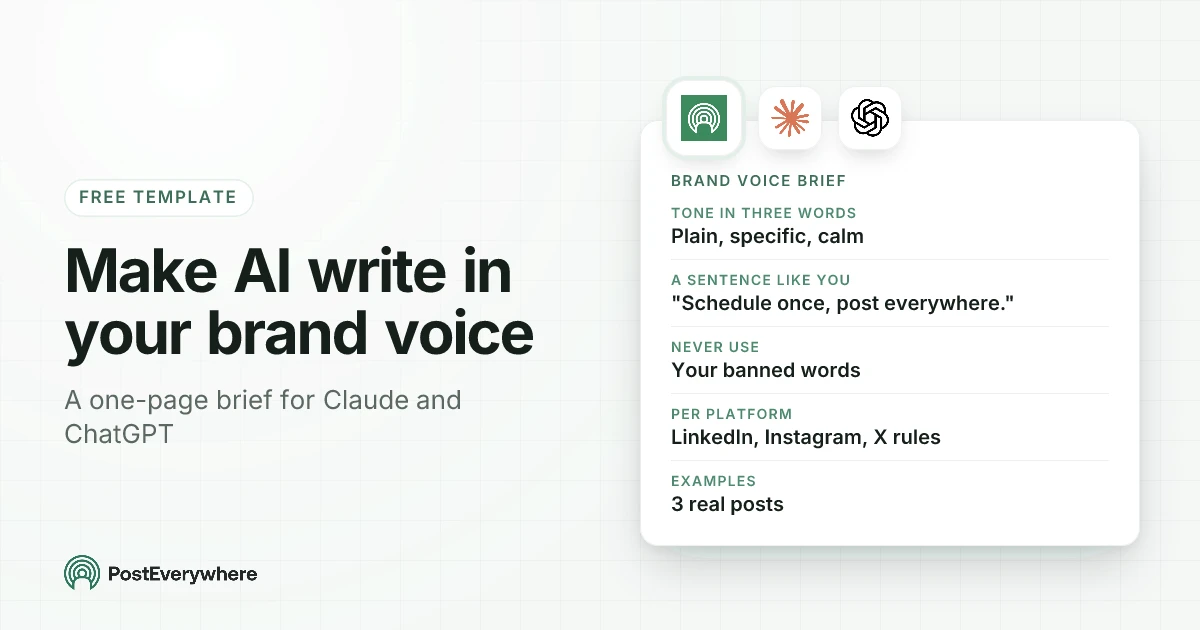
AI posts sound generic because the AI is guessing. A one-page brand voice brief fixes it: three words, a sentence that sounds like you, real example posts, words you never use and rules per platform. The template, a filled-in example, and where to put it in Claude, ChatGPT and PostEverywhere.
PostEverywhere.ai
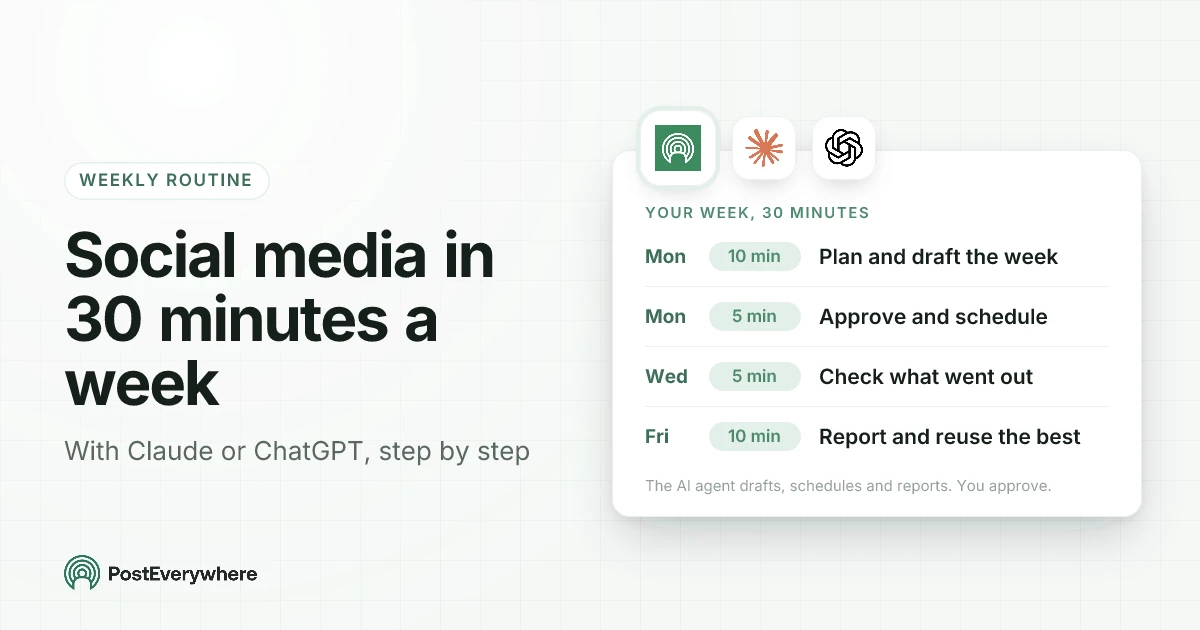
A weekly social media routine you can run with Claude or ChatGPT in 30 minutes: plan and draft on Monday, approve and schedule, check on Wednesday, report and reuse on Friday. The exact prompts, what the AI agent does at each step, and where you stay in charge.
PostEverywhere.ai
Marketing and best-practice guides from the platforms we integrate with.
Official Instagram marketing resources and best practices
Professional networking and B2B marketing guides
TikTok advertising and creator resources
Official Threads news and marketing announcements
Manage Facebook and Instagram from one place
Official YouTube creator resources, monetisation, and best practices
X advertising, analytics, and brand marketing resources
Pinterest ads, analytics, and creator best practices
Official Bluesky updates, AT Protocol docs, and developer resources
How bots post to Telegram channels and groups, from Telegram itself
Official Discord developer docs for bots, webhooks and servers
Official WordPress guides for publishing and managing your site
Google’s home for managing your Business Profile on Search and Maps
PostEverywhere connects natively with each of these platforms.