The Twitter scheduler for tweets, threads and X Articles
Write tweets and threads when ideas come, schedule them for your audience's peak hours, and manage multiple X accounts from one calendar.
$0 charged today, cancel anytime


Used by 2,831 happy customers
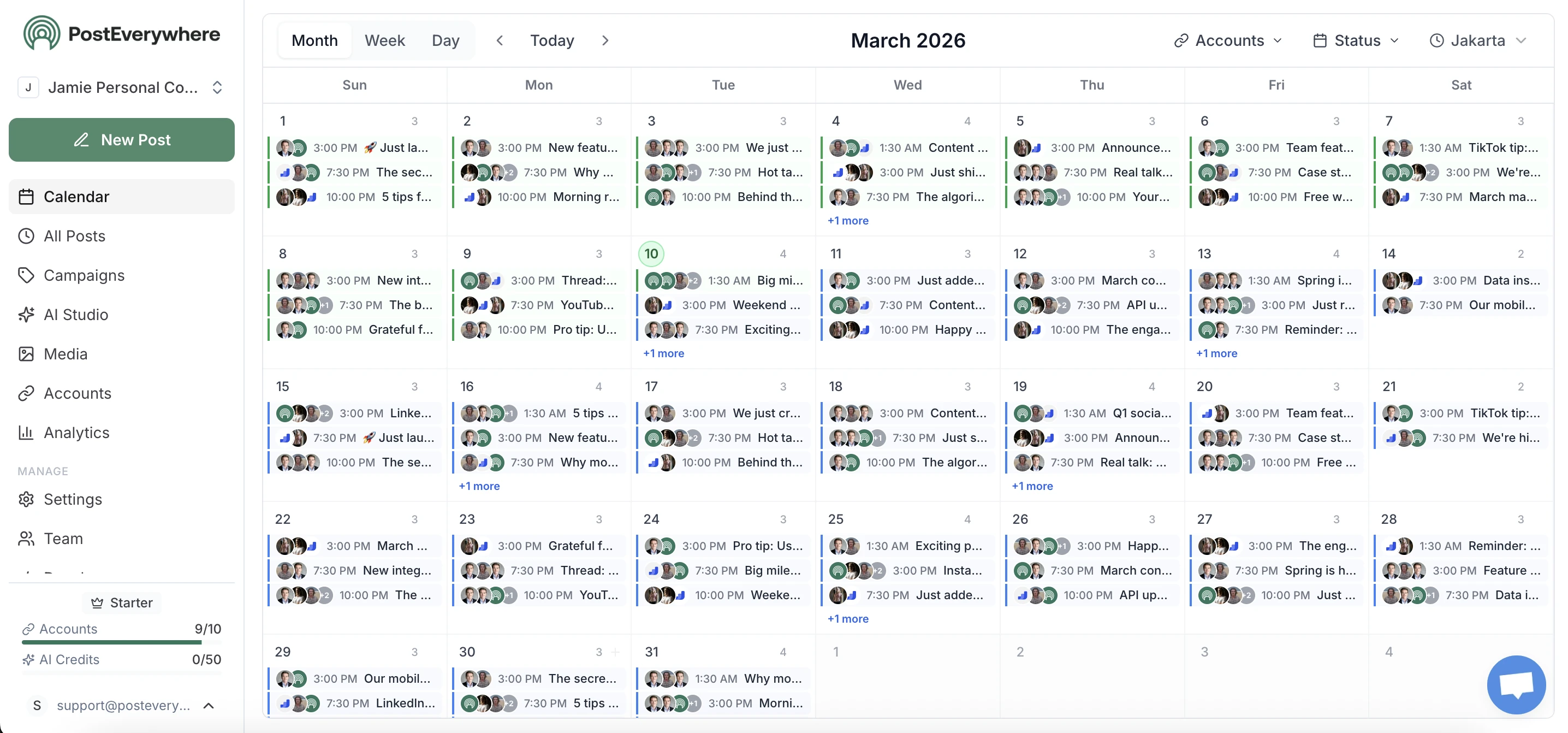
Scheduling Twitter posts on X
Scheduling Twitter posts and scheduling tweets are the same job. X renamed the product in 2023, most people did not rename the verb, and both still work here. PostEverywhere schedules Twitter posts, threads, replies and quote tweets through the official X API v2.
You can schedule Twitter posts in bulk from a CSV, queue a week across several accounts in one sitting, and let each one publish on its own. Nothing needs your phone open, and no reminder has to be tapped.
How PostEverywhere schedules posts on X (Twitter)
To schedule a post on X, connect your account, write the post or thread, attach any media, pick a publish time, and let the X API v2 publish it automatically. Threads, replies, and up to four images per post are supported.
- Connect your X account. The X API v2 supports multiple accounts on one dashboard.
- Write your post or thread. Stay under 280 characters per post, or chain several into a scheduled thread.
- Attach media. Add up to four images, a GIF, or a video; the first post's media shows in the timeline.
- Pick a date and time. Schedule for your audience's peak hours, which per-account best-time-to-post heatmaps surface for you.
- Let it publish. PostEverywhere auto-publishes through the X API v2 at the scheduled time.
How to schedule posts on X (Twitter) from the mobile app
You can schedule a post in the X app on iPhone or Android. X moved its desktop scheduler (X Pro, formerly TweetDeck) behind X Premium+ ($40/month, or $33 billed annually) in March 2026, and X's own scheduling options depend on your plan. Where the app offers scheduling, the steps are:
- Open the composer. Tap the post button and write your post (280 characters on a standard account).
- Add media. Attach up to four images, a GIF or a video.
- Tap the schedule icon. It is the calendar icon along the bottom of the composer.
- Pick the date and time. Check the time zone, then tap Confirm.
- Tap Schedule. The post waits in your drafts and scheduled posts, where you can edit, reschedule or delete it before it goes live.
The native route schedules one post at a time, for one account, and only on X. PostEverywhere works from your phone too: the iOS app and, on Android, the web app in any mobile browser. Queue whole threads, switch between several X accounts, and send the same idea to Threads or LinkedIn without retyping it.
Tweets, Twitter posts, threads and replies
Schedule every X post type from one composer
One composer for every X post type. Compose threads as cohesive chains with drag-to-reorder, schedule replies by pasting the parent URL, and queue quote tweets with the right linkage to their source.
- Single tweets and threads.
- Up to 280 characters per tweet on standard accounts, 25,000 for Premium. Threads publish in sequence with correct reply linkage.
- Replies and quote tweets.
- Paste the parent tweet URL to schedule a reply. Paste a tweet URL to schedule a quote tweet with attached commentary.
- Media support.
- Up to 4 images, 1 video (up to 140 seconds standard, 512MB Premium), or GIF per tweet with the right format validation.
- X Articles.
- Titles up to 100 characters, with headings, bullet and numbered lists, quotes, bold, italic and links in the body. The first image becomes the cover (2000x800, a 5:2 ratio, looks best). Available on X Premium accounts.
AI thread drafting for X
Generate threads tuned for the X algorithm
The first tweet of a thread decides whether anyone reads the rest. Build hook-first threads with our X thread maker, generate scroll-stop tweets with our hook generator, and discover trending hashtag combinations with our hashtag generator.
- Thread builder.
- AI structures a cohesive multi-tweet thread with hook, body, and resolution. Edit each tweet inline.
- Reply prompts.
- Generate engagement-driving replies tuned for the X conversation patterns that drive impressions.
- Hashtag intelligence.
- Discover trending topics and hashtag combinations that improve discovery without spam-flagging.
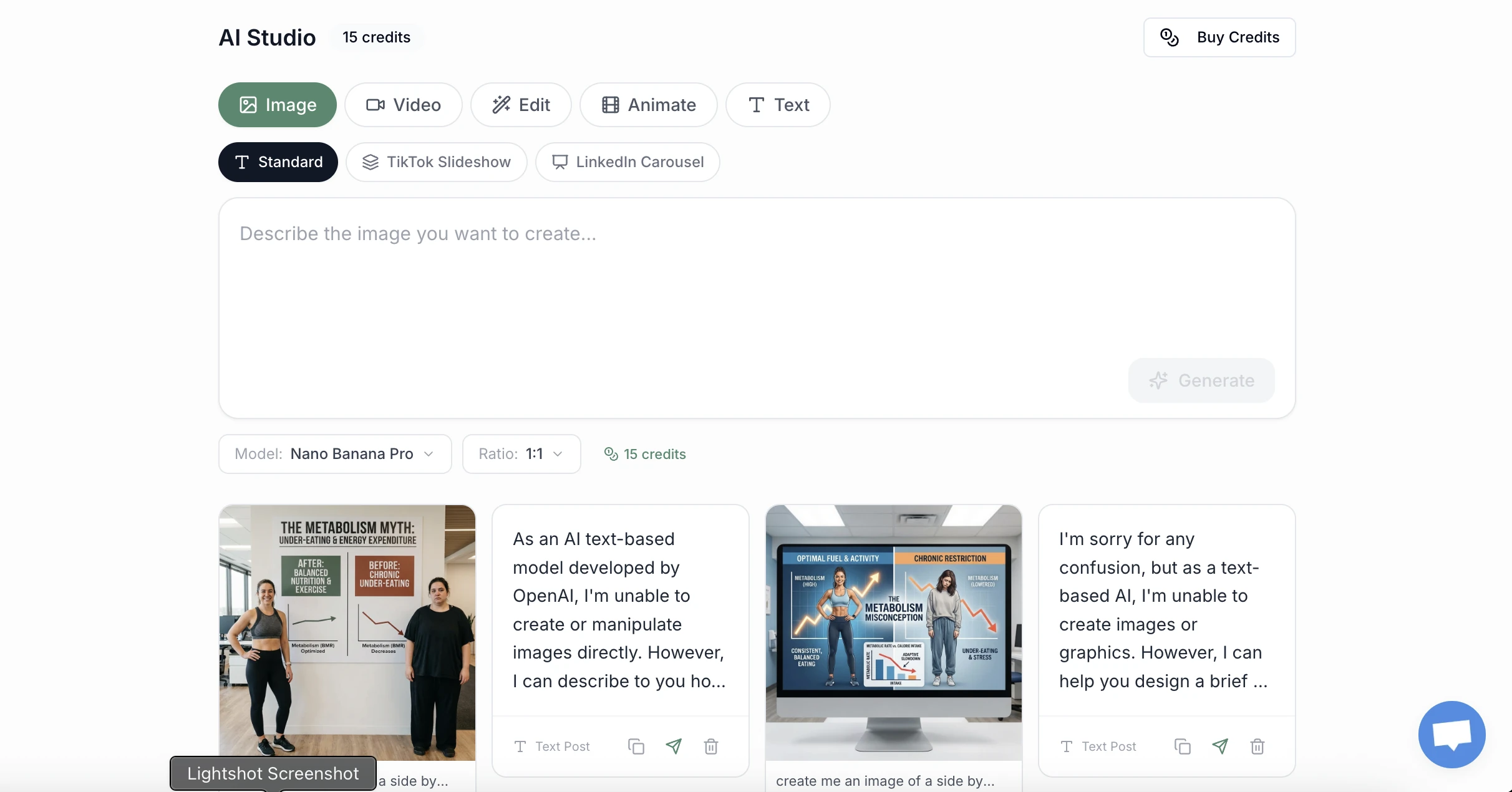
Multiple X (Twitter) account management
All your X accounts, one dashboard
Manage personal, brand, and client X accounts side by side. Connect up to 20 accounts across all top platforms. Built for agencies, founders running personal and company accounts, and creator teams.
- X API access included.
- X's API is pay-per-use; PostEverywhere's plans include X posting. We respect X's rate limits and queue accordingly.
- Cross-platform threads.
- Cross-post X threads to LinkedIn as long-form posts, Threads, and Bluesky in one click.
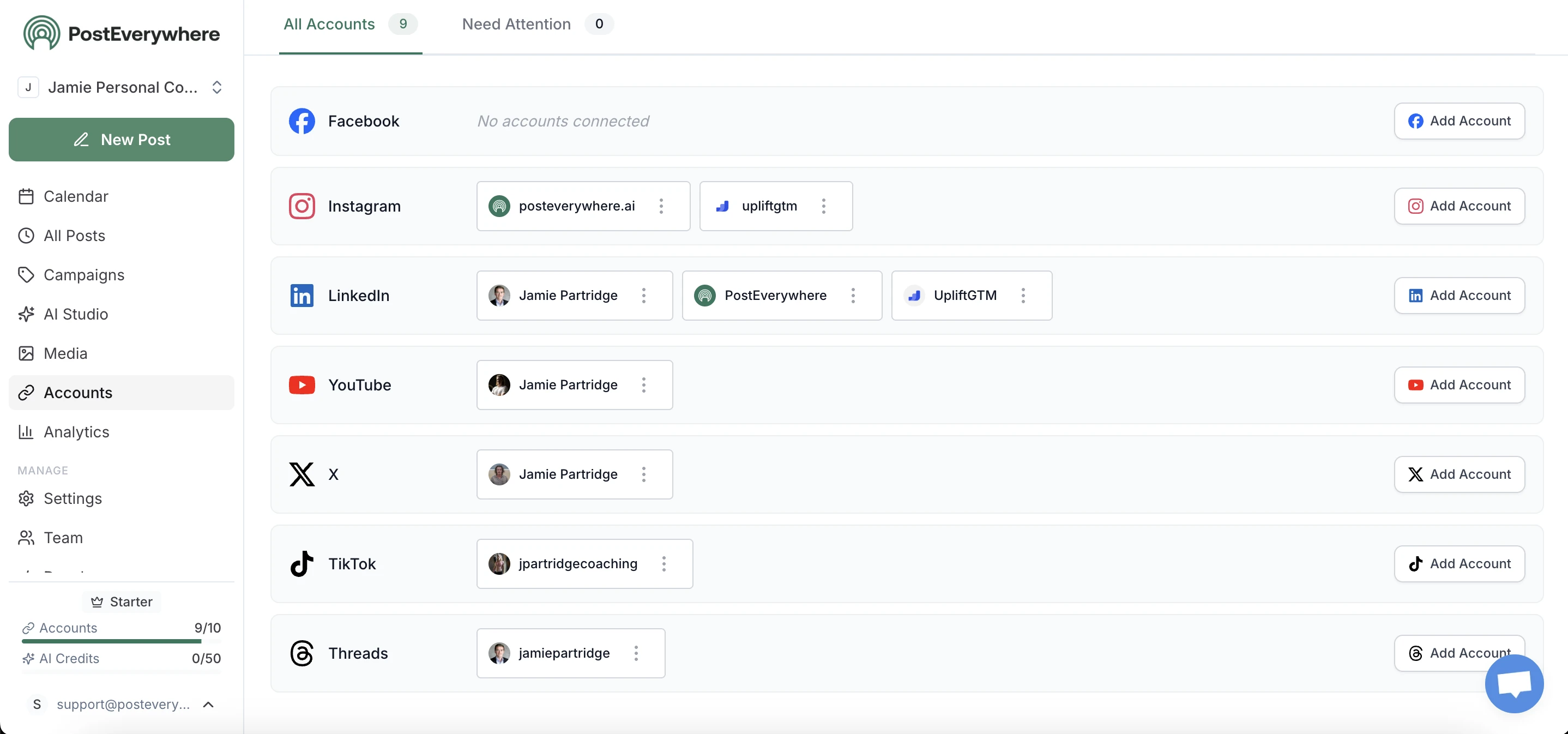
Twitter scheduler features for X
Everything you need to schedule and publish on X
Every feature you need to schedule tweets, threads, and long-form posts on X from desktop.
- Tweet and Thread Scheduler
- Schedule single tweets, threads, replies, and quote tweets from one composer with character-count validation.
- X Articles
- Publish X's native long-form format, with a title and a cover image, and schedule it like any other post. Requires an X Premium account.
- Labels Built In
- Mark a post "Made with AI" or "Paid partnership" with one toggle, and X shows the disclosure on the post.
- Post to X Communities
- Pick a community by search or paste its link, and publish straight into it. The account must already be a member.
- AI Thread Drafting
- Generate cohesive multi-tweet threads with hook-first opening tweets and structured story arcs.
- Best Time Scheduling
- Schedule X posts when your followers are most active. Per-account heatmaps from real engagement data.
- X API v2
- Direct publishing via the official X API v2. No manual confirmation, no third-party workaround posting.
- Cross-Post to LinkedIn
- Cross-post X threads to LinkedIn long-form, Threads, and Bluesky for full distribution coverage.
Why use an X (Twitter) scheduler
Consistent posting compounds X reach faster than any other platform
X rewards posting velocity more than almost any other social platform. Accounts that publish 3 to 5 times daily get exponentially higher impressions than accounts posting once a week. A scheduling tool lets you batch a day or week of tweets and threads in one writing session, then auto-publish through the day to match the cadence X's algorithm rewards.
PostEverywhere is built on the official X API v2. Scheduled tweets publish on the exact second you set. For ranking factor breakdown, read our guide to how the X (Twitter) algorithm works in 2026.
The X algorithm in 2026 weighs engagement velocity (how quickly a tweet accumulates replies and reposts in the first 30 minutes) above almost every other signal. This is why scheduling for peak audience hours matters more on X than on most other platforms: a tweet posted when your followers are not online accumulates no early velocity and gets buried, even if the content is excellent. PostEverywhere's per-account audience activity heatmaps show your specific followers' active windows, not generic best-time benchmarks, so your scheduled tweets land when followers are actually scrolling.
Thread strategy is the highest-leverage growth lever on X. Single tweets get marginal reach. Threads with strong hooks compound reach as readers follow you to read more, then engage with future threads. The format that consistently works in 2026 is the hook-first thread: tweet 1 is the hook (50 to 80 percent of readers stop here), tweets 2 to 10 are the body, the final tweet is the payoff (CTA, summary, or punchline). PostEverywhere's AI thread builder generates this structure automatically and lets you edit each tweet inline before scheduling the whole chain at one timestamp.
X's native scheduling works for single tweets but doesn't support threads, multi-account workflows, or AI assistance. PostEverywhere covers all three. Cross-post X threads to LinkedIn long-form posts, Meta Threads, and Bluesky for full distribution.
Two X-specific things to know. X's API is pay-per-use, and PostEverywhere's plans include X posting, so there is no API tier for you to manage. And Community Notes can affect post visibility regardless of how the tweet was published, just like manual posts. See our best time to post on X guide for timing.
Replies are the underused X growth lever. Replying to large accounts in your niche with substantive comments gets your reply in front of their audience, often surfacing in algorithmic feed expansion if the reply itself gets engagement. PostEverywhere supports scheduling replies (paste the parent tweet URL and we'll publish your reply at the scheduled time). For founders and creators building audience, scheduling 5 to 10 thoughtful replies per day to accounts you genuinely admire is often higher-leverage than posting more original content.
If you run a personal account and a brand account on X, the right strategy is usually to keep brand-account posting cadence steady (2 to 4 posts per day with mostly product or content distribution) while running your personal account aggressively (8 to 20 posts per day with original takes, replies, and threads). PostEverywhere manages both accounts from one dashboard so you can switch contexts in one click. Pair scheduling with our X username checker when launching new brand handles to avoid conflicts.
Cross-platform X distribution
Schedule X alongside every other top platform
Microblog content has a natural home on multiple text-first platforms. The same X thread often resonates on Meta Threads, Bluesky, and as a long-form LinkedIn post. PostEverywhere also supports cross-posting to Instagram, Facebook, TikTok, YouTube, Pinterest, Telegram, and Discord for full text-first audience reach.
- Thread to long-form.
- X threads naturally convert to LinkedIn long-form posts and Bluesky chains. One composition, three distributions.
- Microblog cohort distribution.
- Distribute the same idea across X, Threads, and Bluesky simultaneously with platform-specific length adjustments.
- Video clip syndication.
- Video clips you share on X also fit TikTok, Instagram Reels, and YouTube Shorts in one workflow.
Post from AI assistants
Post to X (Twitter) from Claude or ChatGPT with the PostEverywhere MCP server
An X MCP server (still widely searched as a Twitter MCP server) lets an AI assistant post to X through the official X API v2. You connect the account once, then describe what you want published and when. Setup for every assistant is on the AI agents page.
- Scheduled posts.
- Queue a post for a specific time and timezone, so a launch lands when your audience is awake rather than when you are.
- Media attachments.
- Attach an image or video uploaded from a URL, or have the assistant generate one first.
- Platform-specific copy.
- X rewards brevity and LinkedIn rewards depth. One instruction can send a tight version to X and a longer one elsewhere.
- Multiple accounts.
- Connect several X accounts and tell the assistant which one to use by name.
- X Articles.
- Publish long-form X Articles with a title and a cover image by setting post_type to article. The account needs X Premium, and each X account can publish 2 articles every 24 hours.
- Labels and Communities.
- Mark posts and threads "Made with AI" or "Paid partnership", or post into an X Community the account belongs to.
- X and Twitter are the same platform here.
- The product renamed but the search term did not. Whether you look for an "X MCP server" or a "Twitter MCP server", this is the same integration on the same X API v2.
- Short posts or a full article.
- Most X posts win on brevity, so ask for a shorter, sharper variant explicitly. For long-form, the assistant can publish an X Article instead: a title, a formatted body and a cover image, on X Premium accounts.
- Publishing only, not reading.
- This integration writes posts. It does not read timelines, scrape search or automate replies, which is what keeps it stable as X changes API access.
Frequently Asked Questions
Can you schedule tweets and threads on X?
Yes. PostEverywhere uses the official X API v2 to schedule and auto-publish individual tweets, multi-tweet threads, replies, and quote tweets from desktop. Compose a whole thread, drag tweets to reorder, and schedule the full chain at one time; it publishes in sequence with the correct reply-to linkage.
How long can a scheduled X post be?
Standard X accounts have a 280-character tweet limit. X Premium accounts can post up to 25,000 characters per tweet (long-form posts). PostEverywhere supports both, with character-count validation as you compose.
Can I schedule X Articles?
Yes. PostEverywhere publishes X Articles, X's native long-form format with a title and cover image, through the composer, the REST API and the MCP server. Articles schedule like any other post. The X account needs X Premium, which is X's requirement.
What formatting do X Articles support in PostEverywhere?
Titles up to 100 characters. The body supports headings, bullet and numbered lists, quotes, bold, italic and links. The first attached image becomes the cover, and 2000x800 pixels (5:2) looks best.
How many X Articles can I publish?
Two published articles per X account every 24 hours, as a fair-use limit. Standard posts and threads are not affected.
Can I label a post as AI-generated or a paid partnership on X?
Yes. Turn on 'Made with AI' or 'Paid partnership' in the composer and X shows the disclosure on the published post. Labels work on posts and threads, scheduled or immediate.
Can I post to an X Community?
Yes. Search for the community or paste its link when composing. The connected account must already be a member of that community.
How do I schedule posts on X (Twitter) from desktop?
X's own desktop scheduler is X Pro (formerly TweetDeck): open the composer, write the post, click the calendar icon, choose the date and time, then Confirm and Schedule. Since March 2026 X Pro requires X Premium+, at $40/month ($33 billed annually). PostEverywhere schedules X posts and whole threads from any desktop browser through the official X API v2, with no X subscription needed, and lets you batch a week of posts in one session.
Why didn't my scheduled X (Twitter) post publish?
Check these in order. 1) The scheduler's access was revoked: in X, open Settings, then Apps and sessions, and reconnect the account in your scheduling tool. 2) Your X subscription lapsed, which stops natively scheduled posts. 3) The time zone was wrong, so the post went out hours early or late. 4) The post broke X's rules and was held back. 5) It went over the character limit (280 on standard accounts, 25,000 on Premium). 6) The media was too large (images up to 5MB, video up to 512MB). Fix the cause, then reschedule. For failures on other platforms, see our guide to scheduled posts not publishing.
Can I schedule replies and quote tweets?
Yes. PostEverywhere supports scheduling replies (paste the parent tweet URL) and quote tweets (paste the URL of the tweet to quote) via the X API v2 endpoints.
Can I schedule media (images, video, GIFs) to X?
Yes. PostEverywhere supports up to 4 images per tweet, 1 video per tweet, and GIFs. Video uploads accept MP4 up to 512MB for Premium accounts or 140 seconds for standard accounts.
Can I manage multiple X accounts?
Yes. Connect up to 20 accounts across all top platforms on PostEverywhere Scale. Each X account gets its own queue, calendar, and analytics view. Useful for personal plus brand accounts or agency client work.
Does scheduling tweets hurt reach?
No. X's algorithm ranks tweets based on engagement velocity, dwell time on profile, replies, and quote tweets. Whether published manually or via the API doesn't change ranking. Note that Community Notes can affect visibility regardless of how the tweet was published.
Do I need X Premium to schedule tweets via API?
No. X's API is pay-per-use, and PostEverywhere's plans include X posting, so you don't need X Premium or an API tier to schedule. PostEverywhere respects X's rate limits and queues posts that would exceed them. X Premium is separate and unlocks long-form posting and edit windows.
What is the best posting cadence for X growth?
X rewards high-frequency posting more than almost any other platform. Top growth accounts publish 5 to 15 tweets per day, including replies to other accounts in their niche. The algorithm reads frequency as commitment, and accounts that disappear for days see compounding reach loss. Use PostEverywhere to batch a day or week of tweets and threads in one writing session, then auto-publish through the day to maintain the cadence X rewards.
What's the difference between X Premium and X Premium Plus for posting?
X Premium ($8/mo) gives you the blue checkmark, 25,000-character long-form posts, edit window, and priority in replies. X Premium+ ($40/month, or $33 billed annually) removes ads from your feed, offers larger video uploads, and adds the deepest creator monetization revenue share. For posting strategy, the key differentiator is the long-form post capability that unlocks at Premium tier and above.
Can I schedule X Spaces or recurring events?
X Spaces (audio rooms) are created and scheduled separately inside the X app, not through the API. PostEverywhere does not currently schedule X Spaces. You can however schedule a tweet that announces an upcoming Space, links to it, and tags relevant accounts to drive attendance. This is a common workflow for podcasts and live events.
What is the best way to structure X threads?
X threads work best as hook plus body plus payoff. The first tweet is the hook (50 to 80 percent of readers stop here, so spend disproportionate time on it). The body delivers the substance in 5 to 15 tweets, with each tweet able to stand alone in case it gets retweeted out of context. The final tweet is the payoff (CTA, summary, or punchline that makes readers want to follow you). PostEverywhere's thread builder lets you draft this structure with drag-to-reorder support.
What is an X (Twitter) MCP server?
An MCP server that exposes X publishing as tools an AI assistant can call, so Claude or ChatGPT can schedule posts for you. PostEverywhere publishes through the official X API v2. It is not made by X; PostEverywhere runs it on the accounts you connect.
Or let your AI agent schedule X for you
PostEverywhere is the social media scheduling tool built for teams and their AI agents. Connect Claude, ChatGPT, Cursor or any MCP client to the hosted MCP server and your agent can draft, schedule and publish your posts and threads through the same account your team uses, with the full API included on every plan.
Related guides and platforms
Explore related features and guides to get the most out of PostEverywhere.
X Font Generator
Bold, italic and script unicode for posts.
X Trends 2026
What earns reach on X this year.
X Metrics & KPIs
The numbers behind account growth.
100 X Content Ideas
A hundred post ideas for the timeline.
How to Get More X Followers
Audience growth beyond posting frequency.
How to Go Viral on X
Threads, timing and the reply game.
Free Content Calendar Templates
Planning templates with an X (Twitter) section for posts and threads.
Schedule via API
Automate X posting programmatically with our REST API.
AI Social Media Agents
Autonomous agents that draft tweets, threads, and schedule X content.
X Statistics 2026
User counts, engagement benchmarks, and ad performance data for X.
How the X Algorithm Works
Engagement velocity, dwell time, and the ranking signals X rewards.
How Much X Pays Creators
Ad revenue share program economics and what creators actually earn.
LinkedIn Scheduler
Cross-post X threads as LinkedIn long-form posts.
Threads Scheduler
Distribute X threads to Meta Threads alongside X.
Cross-Platform Publishing
Schedule once, publish to X, LinkedIn, Threads, and Bluesky.
Social Media Content Calendar
Plan X posts in a visual calendar alongside every other platform.
“This tool has truly made my content posting so much easier, I can't work without it. I can schedule my posts days in advance while working on other projects. Set it and forget it.”