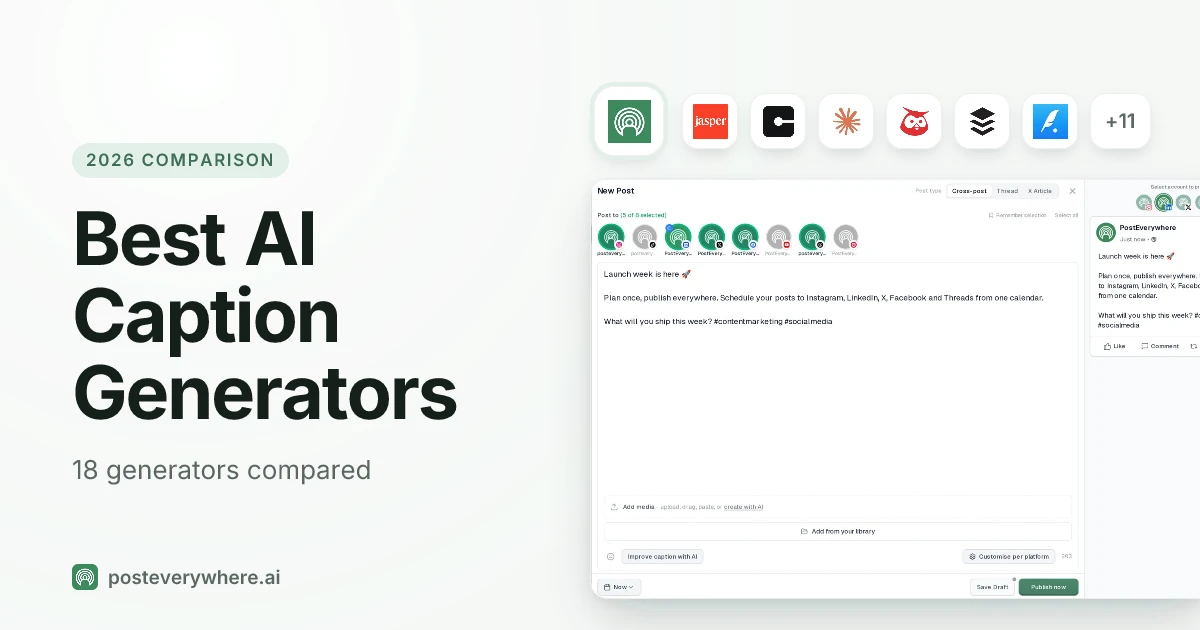
What are the best AI caption generators in 2026? For AI agents, PostEverywhere: it's the agentic social media scheduler built for AI agents, so the captions Claude or ChatGPT write for you are scheduled to all top platforms from the same chat, and its AI Studio writes platform-specific captions inside the scheduler. For brand voice training, Jasper; for free general-purpose writing, ChatGPT.
Refreshed with Claude's current lineup (Opus 5.5, Sonnet 5.5 and Fable 5.1), ChatGPT's current models, AdCreative.ai's expanded caption features, Typefully's Claude-powered Writing Assistant, and the latest 2026 pricing for every tool on this list.
Posts with optimized captions get 2x more engagement than those without. That is the finding from HubSpot's 2025 Social Media Marketing Report, and it underscores a simple truth: captions matter just as much as visuals.
The problem? Writing captions that stop the scroll, match your brand voice, and work across Instagram, TikTok (schedule with our TikTok scheduler), LinkedIn, Threads, and X is exhausting. Even experienced marketers struggle to produce 20+ unique captions per week without burning out.
AI caption generators solve this. We tested over 25 tools across six months, writing thousands of captions for real accounts, to find which ones actually produce publish-ready text and which ones produce generic fluff.
This guide covers the 18 best AI caption generators for 2026, with the latest models (Claude Opus 5.5 and ChatGPT's current default), new entrants, and refreshed pricing.
TL;DR
- Best for AI agents: PostEverywhere, Claude, ChatGPT or your own code writes the captions and schedules them to all top platforms, from $9/mo
- For brand content: Jasper AI, brand voice training + marketing templates
- Free AI: ChatGPT (free tier), versatile, no social features, but $0 to start
- Premium AI writer: Claude (Opus 5.5 on Pro), the most natural-sounding output of any LLM family we tested
- Budget tool: Rytr, Unlimited plan at $7.50/mo with unlimited characters
- For Instagram: Flick, hashtag research + AI captions built for IG
- For ad copy + captions (NEW): AdCreative.ai, performance-scored text in seconds
- For solo writers (NEW): Typefully, Claude-powered Writing Assistant learns your voice
- AI captions cut content creation time by up to 80% and boost engagement by 32% on average
How We Evaluated
We tested each AI caption generator against six criteria:
- Caption quality: Does the output sound natural, or does it read like a robot wrote it?
- Platform awareness: Does the tool adjust tone for Instagram vs. LinkedIn vs. X vs. Threads?
- Brand voice control: Can you train it on your style, or are you stuck with generic output?
- Speed and workflow: How fast can you go from idea to scheduled post?
- Pricing value: Is the cost justified for the volume of captions you can produce?
- Extras: Hashtag suggestions, emoji use, CTA generation, multi-language support
We focused on real-world social media use cases, not long-form blog writing. A tool might be brilliant for articles but terrible at punchy 150-character TikTok captions. Our rankings reflect social media performance specifically.
Free Caption Tools: Try our platform-specific generators: Instagram Caption Generator, LinkedIn Caption Generator, Facebook Caption Generator, TikTok Caption Generator, Threads Caption Generator, Caption Analyzer, and Character Counter. All free, no signup required.
Quick Comparison Table
| Rank | Tool | Good For | Starting Price (2026) | Free Plan | Key 2026 Feature |
|---|---|---|---|---|---|
| 1 | PostEverywhere | AI agents: captions + scheduling in one step | From $9/mo | 7-day trial | Cross-platform AI captions for all top platforms |
| 2 | HubSpot Breeze | Cross-channel content + management | $800/mo (3 users) | Free AI tools | Breeze AI agents for social workflows |
| 3 | Jasper AI | Brand voice marketing | $59/mo (annual) | 7-day trial | Multi-voice Brand Voice + IQ |
| 4 | Copy.ai | Marketing copy variety | $24/mo annual | No | OpenAI + Anthropic + Gemini models |
| 5 | ChatGPT | Versatile free captions | Free | Yes (default model) | Latest GPT models on paid plans |
| 6 | Claude | Long-form + nuanced tone | Free | Yes (Sonnet + Haiku) | Opus 5.5 with 1M context |
| 7 | Hootsuite (Wisdom AI) | Enterprise teams | $99/user/mo annual | 14-day trial | Wisdom AI included on all plans |
| 8 | Buffer (AI Assistant) | Simple scheduling + AI | $6/channel/mo | Yes (incl. AI) | AI Assistant free with no usage caps |
| 9 | Typefully | Solo writers, threads & X | $99/year (Creator) | Yes | AI writing assistant |
| 10 | Flick | Instagram captions + hashtags | ~$14/mo | 7-day trial | Virality score predictions |
| 11 | AdCreative.ai | Ad copy + captions | From $39/mo | 7-day trial | Performance-scored text generation |
| 12 | Predis.ai | Visual + caption combos | $24/mo (annual) | 3-day trial | Combined text + visuals from one prompt |
| 13 | SocialBee | Content categories + AI | ~$24/mo annual | 14-day trial | Copilot powered by OpenAI + Anthropic models |
| 14 | Simplified | All-in-one creative | From $79/mo | No | Bundled AI writing + design + video |
| 15 | Writesonic | SEO + social copy | $79/mo annual | Free trial | GEO + AI search visibility tools |
| 16 | Rytr | Budget-friendly bulk captions | $7.50/mo (annual) | Yes (10K chars) | Unlimited characters on the Unlimited plan |
| 17 | Peppertype.ai | Team content workflows | $35/mo | 5K word trial | Team-based content production |
| 18 | Hypefury | Cross-platform repurposing (no X) | $6/channel/mo | 7-day trial | YouTube-to-thread AI Agent |
The 18 Best AI Caption Generators
1. PostEverywhere: Best AI Caption Generator for AI Agents
PostEverywhere is the agentic social media scheduler built for AI agents. Ask Claude or ChatGPT for captions and it can schedule them to every platform without leaving the chat through the hosted MCP server, or your own code can call the same caption tools through the REST API.
Best for: AI agents and builders who want captions written and scheduled in one step, then creators and teams who want AI captions and scheduling in one place
PostEverywhere combines AI Studio with a full social media scheduler that an AI agent can drive. Instead of writing captions in one app and then copying them into a scheduling tool, you do everything in a single workflow.
If you write in an assistant instead, connect PostEverywhere to ChatGPT or to Claude and the captions schedule from the chat.
Tell the AI what your post is about, pick the platform in the "For:" picker (Instagram, TikTok, LinkedIn, X, Facebook, YouTube, Threads, Pinterest, Bluesky, Telegram, Discord or WordPress), and it writes to that platform's limits and style: shorter and punchier for TikTok, professional for LinkedIn, hashtag-rich for Instagram, conversational for Threads.
Key Features (2026):
- AI caption generation for all top platforms with platform-specific formatting
- Cross-posting with automatic caption adaptation per network
- Best-time-to-post queue presets for a steady posting rhythm
- Visual calendar for planning and organizing content
- Hashtags, Shorten, Rewrite, Professional and Casual quick actions in the composer
- Up to 5 caption options per request through the API and MCP
- Brand picker that applies your voice, banned words and required hashtags
Pricing (October 2026):
- Lite: $9/mo (2 accounts, full scheduling)
- Starter: $19/mo (5 accounts)
- Growth: $29/mo (10 accounts)
- Scale: $39/mo (20 accounts, team features and analytics)
- 7-day free trial (credit card required), 20% off annual billing
Limitations:
- No completely free plan (7-day free trial available)
- No social inbox or listening. It's built to be driven by you, an AI agent or your own code instead
Get started: PostEverywhere generates captions AND schedules them to all your platforms in one step. No more copy-pasting between tools. Start your 7-day trial →
2. HubSpot Breeze: For Cross-Channel Content Generation
Good for: Social marketers looking to speed up social media and cross-channel workflows
Breeze is HubSpot's AI assistant toolsuite. The platform includes a set of AI agents specialized across different departments and marketing activities.
For example, the Social Media Agent handles caption generation, brainstorming campaign ideas, and uses historical social media performance to identify ideal posting types, content types, and formats to maximize engagement.
There's also an AI content repurposing tool. It lets you set up multi-step repurposing workflows, turning blog content into newsletters, social posts, and ad copy, all in one go.
Key Features:
- Channel-specific social media caption generation
- Optimization suggestions based on historical social media performance
- Automated reply suggestions for inbox management
- Campaign and hashtag idea generation
- Brand voice customization
Pricing (October 2026): Free AI tools available. Marketing Hub Professional: $800/month for three users. Marketing Hub Enterprise: $3,600/month for five users.
Limitations:
- Social media management software and AI assistant only available starting from Marketing Hub Professional plan
- Scaling AI assistants to other channels (blogs, emails) increases total costs
- Free tools are rather limited
3. Jasper AI: For Brand Voice Consistency
Good for: Marketing teams that need every caption to sound on-brand
Jasper AI is one of the most established AI writing platforms, and its brand voice feature is what sets it apart for social media teams. You can train Jasper on your existing content, tone guidelines, and audience data so every caption it generates sounds like your brand.
In 2026, Brand Voice became more granular, you can now set different voices for different audiences or products within the same account.
Jasper offers 50+ templates including social media-specific ones for Instagram captions, LinkedIn posts, Facebook ads, and more. The Campaign feature lets you create an entire multi-platform content push from a single brief.
Key Features (2026):
- Brand Voice training on your existing content (multi-voice on Pro+ plans)
- 50+ templates including social media post types
- Campaign mode for multi-platform caption generation
- Knowledge assets and Audiences for IQ-powered output
- Chrome extension for writing captions anywhere
- Team collaboration with approval workflows
Pricing (October 2026):
- Pro: $59/seat/mo (annual) / $69/seat/mo (monthly), 1 seat, 2 Brand Voices, 3 Audiences
- Business: Custom pricing, more seats, unlimited Brand Voices and Audiences
- 7-day free trial; the Creator plan is no longer listed on Jasper's pricing page
Limitations:
- No built-in scheduling, you still need a separate tool to publish
- Pricing is per-seat, so costs scale quickly for teams
- Can feel overpowered if you only need social captions
4. Copy.ai: AI Caption Generator for Marketing
Good for: Marketers who need variety across ad copy, captions, and email
Copy.ai used to have one of the most generous free plans for AI writing; its pricing page now lists paid plans only, starting with Chat at $24/mo (annual) for unlimited words in Chat.
The platform includes dozens of templates specifically designed for social media, including Instagram captions, LinkedIn hooks, and tweet threads. In 2026, Copy.ai matured into a GTM AI platform with workflow automation that runs full sales outreach sequences alongside content.
What makes Copy.ai stand out is its "Chat" interface that lets you brainstorm caption ideas conversationally. Describe your post, and Copy.ai generates multiple variations using OpenAI, Anthropic (Claude) or Gemini models, your choice.
Key Features (2026):
- Unlimited words in Chat on every paid plan
- Multi-LLM access (OpenAI, Claude, Gemini) in a single interface
- Social media-specific templates for every platform
- 90+ content templates and Workflows automation
- Brand Voice and Infobase features
- 95+ languages supported
Pricing (October 2026):
- Chat: $24/mo annually ($29/mo monthly), 5 seats, unlimited words in Chat, OpenAI, Anthropic and Gemini models
- Growth: $1,000/mo (billed annually), 75 seats, 20K workflow credits/mo
- Expansion and Scale: $2,000/mo and $3,000/mo (billed annually), more seats and workflow credits
- Enterprise: Custom pricing
Limitations:
- No free plan listed on the pricing page
- No scheduling or publishing features
- Workflow plans are pricey for small teams
5. ChatGPT: Free, Versatile Caption Writer
Good for: Anyone who wants a free, flexible tool for brainstorming captions
ChatGPT by OpenAI is the most widely used AI writing tool in the world. Its free tier gives you ChatGPT's current default model, which can write captions for any platform, in any tone, for any industry.
No templates needed, just describe what you want in plain language. Paid plans (Plus, Pro and Business) unlock OpenAI's latest and most capable GPT models, with a Pro tier for power users.
The key to getting great captions from ChatGPT is prompting. Tell it your platform, audience, tone, and goal, and it can produce captions that rival dedicated tools. Power users create Custom GPTs with saved instructions for their brand voice.
Key Features (2026):
- Free access to ChatGPT's current default model
- Plus: OpenAI's latest models, including reasoning modes, + image generation
- Custom GPTs for saved brand voice and instructions
- Native image generation for visual + caption combos
- Voice mode for caption brainstorming on the go
Pricing:
- Free: ChatGPT's default model, with usage limits
- Go: $8/mo, higher limits than Free
- Plus: $20/mo, OpenAI's latest models, image generation
- Pro: $100/mo or $200/mo, OpenAI's top models, highest usage
- Business: $25/user/mo ($20 billed annually), workspace collaboration
- Enterprise: Custom pricing
Limitations:
- No scheduling, publishing, or social media management features
- You must provide all context via prompts (no built-in brand voice training)
- Output requires more editing than purpose-built social tools
- No hashtag research or analytics
6. Claude: For Nuanced, Long-Form Social Captions
Good for: LinkedIn creators and thought leaders who write longer, thoughtful posts
Claude by Anthropic excels at nuanced, well-structured writing that sounds genuinely human. For platforms where longer captions perform well, LinkedIn, Facebook, Threads, and Pinterest, Claude produces some of the most natural-sounding output of any AI tool.
The current lineup features Haiku 4.5 (fastest), Sonnet 5.5 (balanced), Opus 5.5 (Anthropic's recommended starting point for most work) and Fable 5.1 (for the most demanding reasoning). Sonnet, Opus and Fable all have 1M token context windows.
Claude is particularly strong at understanding context and following detailed instructions. Give it your brand guidelines, target audience description, and examples of your best-performing posts, and it adapts impressively. The writing tends to be less formulaic than ChatGPT, with fewer cliches and better paragraph flow.
Key Features (2026):
- Model lineup: Haiku 4.5, Sonnet 5.5, Opus 5.5 and Fable 5.1
- 1M token context window on Sonnet, Opus and Fable (200K on Haiku)
- Excellent at long-form, nuanced social captions
- Projects feature for saving brand voice documents
- Web search for fact-checking trending topics
- Available via web, iOS, and Android
Pricing (October 2026):
- Free: Limited usage on Sonnet and Haiku models
- Pro: $20/mo ($17/mo billed annually), at least 5x Free usage
- Max: From $100/mo, 5x or 20x Pro usage for power users
- Team: $20-$25/user/mo for a Standard seat (annual vs monthly), collaboration features
- Enterprise: $20/seat/mo plus usage at API rates (annual billing)
Limitations:
- No social media scheduling or publishing
- No native image generation
- Requires manual copy-paste into scheduling tools
Stop copying and pasting captions between apps. PostEverywhere writes AI captions and publishes them to all top platforms in one click. Try it free for 7 days →
7. Hootsuite (Wisdom, formerly OwlyWriter AI): AI Captions for Enterprise Teams
Good for: Large teams already using Hootsuite for social media management
Hootsuite integrated AI caption writing directly into its scheduling dashboard with Wisdom, the AI formerly called OwlyWriter AI. If your team already manages social media through Hootsuite, Wisdom is a seamless addition: write captions and schedule them without leaving the platform.
Wisdom is included on all plans at no extra cost.
Wisdom can generate captions from scratch, repurpose your top-performing posts, and create post ideas based on trending topics or holidays. It also adapts captions for different social networks automatically.
Key Features (2026):
- AI caption generation inside the Hootsuite dashboard
- Repurpose top-performing posts automatically
- Trending topic and holiday post suggestions
- Platform-specific caption optimization
- Built-in scheduling, analytics, and social listening
Pricing (October 2026):
- Standard: $99/user/mo (billed annually), 10 social accounts
- Professional: $199/user/mo (billed annually), unlimited social accounts
- Advanced: $399/user/mo (billed annually), unlimited social accounts
- Enterprise: Custom pricing
- 14-day free trial; no free plan
Limitations:
- Expensive entry point at $99/user/mo
- Wisdom AI quality is decent but not as refined as Jasper or other dedicated AI writing tools for social media
- Interface can feel overwhelming for solo creators
8. Buffer (AI Assistant): Budget Scheduler with AI Captions
Good for: Solo creators who want simple scheduling with AI help
Buffer added an AI Assistant that helps you generate caption ideas, repurpose existing posts, and summarize long content into social-friendly snippets. The best part in 2026: the AI Assistant is available on Buffer's free plan with no usage limits: every Buffer customer gets unlimited AI generation.
Buffer's strength has always been simplicity. The AI Assistant follows that philosophy, it is not trying to be Jasper. It gives you quick caption suggestions, helps you rewrite drafts, and generates hashtag ideas without a complicated interface.
Key Features (2026):
- AI Assistant available on all plans including free
- No usage caps on AI Assistant, ever
- Caption generation, repurposing, and summarization
- Simple, clean scheduling interface
- Supports all top platforms including Threads, Instagram, TikTok, LinkedIn, X, Facebook, YouTube, Bluesky
Pricing (October 2026):
- Free: 3 social channels, 10 scheduled posts per channel, AI Assistant included
- Essentials: $6/channel/mo, unlimited posts, analytics
- Team: $12/channel/mo, unlimited users, approval workflows
- 20% off annual billing
Limitations:
- AI quality is basic compared to dedicated writing tools
- Per-channel pricing adds up fast if you manage 10+ accounts
- Limited advanced AI features (no brand voice training)
9. Typefully: Claude-Powered Writing Assistant (NEW for 2026)
Good for: Solo writers and thought leaders who want a Claude-powered writing assistant that learns their voice
Typefully started as an X/Twitter writing tool and matured into a serious multi-platform writing app. Its Writing Assistant, powered by Claude, analyzes your past posts to learn your tone, vocabulary, and style patterns, so every suggestion sounds like you.
The 2026 version supports captions for X, LinkedIn, Threads, Bluesky, and Mastodon.
The big appeal: Typefully strips away social media noise. It's a quiet writing room with AI assistance, not an analytics dashboard with a writing afterthought.
Key Features (2026):
- Claude-powered Writing Assistant that learns your voice from past posts
- AI hooks, rewrites, and post idea generation
- Native scheduling for X, LinkedIn, Threads, Bluesky, Mastodon
- Queue scheduling and recurring time slots
- Distraction-free writing interface
- Multi-account and team features on higher tiers
Pricing (October 2026):
- Free: 10 scheduled posts/month, 1 social set
- Creator: $99/year (annual billing only), AI writing features
- Business: $18/mo per social set billed annually ($20 monthly), unlimited users
Limitations:
- Doesn't support Instagram, TikTok, Facebook, YouTube, or Pinterest
- No image generation built in
- Smaller community and fewer integrations than Buffer or Hootsuite
10. Flick: AI Caption Generator for Instagram
Good for: Instagram-focused creators who need hashtag research + captions
Flick built its reputation on Instagram hashtag analytics, and its AI Caption Generator extends that Instagram expertise to writing. The AI creates captions optimized for Instagram's algorithm, suggests relevant hashtags based on your niche, and tracks which hashtag/caption combinations drive the most engagement.
If Instagram is your primary platform, Flick offers a level of IG-specific optimization that generalist tools cannot match. It understands Instagram content formats, Reels captions, carousel descriptions, Stories text, and tailors suggestions accordingly.
Key Features:
- AI captions specifically optimized for Instagram
- Hashtag research and performance tracking
- Content scheduling for Instagram, TikTok, Facebook, and LinkedIn
- Virality score predictions for post performance
- Brand voice customization
Pricing:
- Solo: ~$14/mo (£11/mo), 1 user, basic features
- Pro: ~$30/mo (£24/mo), unlimited post tracking, team features
- Agency: ~$68/mo (£55/mo), multiple clients and workspaces
- 7-day free trial on all plans
Limitations:
- Strongest for Instagram; other platforms feel secondary
- Pricing in GBP can be confusing for US-based users
- Smaller user base means fewer community resources than competitors
Writing captions is only half the job. PostEverywhere's AI Studio writes your captions and the scheduler publishes them to Instagram, TikTok, LinkedIn, X, Facebook, YouTube, and Threads, all from one dashboard. See how it works →
11. AdCreative.ai: For Performance-Scored Caption + Ad Copy (NEW for 2026)
Good for: Marketers who want ad-grade copy generation with predicted CTR scoring
AdCreative.ai made its name with high-converting ad creatives, but its 2026 Text Generator AI is now a serious caption tool for paid social. It generates headlines, primary text, and descriptions optimized for Meta, Google, and display campaigns, and its standout differentiator is the Creative Scoring engine, which predicts a CTR percentile for each generated ad before you spend a dollar.
Paste your website URL and the AI extracts product details, value propositions, and messaging angles to create relevant, conversion-focused captions in seconds.
Key Features (2026):
- Performance-scored caption and ad copy generation
- URL-to-copy extraction (paste a page, get captions)
- Headlines, primary text, descriptions in one workflow
- Meta and Google Ads integrations for direct push-to-publish
- Brand voice and product catalog memory
Pricing (October 2026):
- Starter: $39/mo billed monthly, 10 credits/mo, 1 brand
- Professional: $249/mo, 50 credits/mo, 10 brands
- Ultimate: $999/mo, 100 credits/mo, 25 brands
- 25% off quarterly and 50% off annual billing; 7-day free trial
Limitations:
- Heavily optimized for paid social, not organic captions
- Caption generator is part of a broader ad creative suite (you're paying for features you may not use)
- No native scheduling
12. Predis.ai: For Visual + Caption Combos
Good for: Creators who want AI-generated graphics and captions together
Predis.ai takes a different approach from text-only tools. Give it a topic, and it generates both the visual creative and the caption simultaneously. This is ideal for solo creators or small businesses that do not have a designer on staff.
The platform can produce carousels, single images, video clips, and memes, all with matching captions, hashtags, and scheduling. It also offers competitor analysis so you can see what captions are working in your niche.
Key Features:
- Combined visual + caption generation from a single prompt
- Carousel, image, video, and meme creation
- Competitor analysis for caption inspiration
- Auto-posting to major social platforms
- Credit-based system for flexible usage
Pricing (October 2026):
- Core: $32/mo, or $24/mo billed annually, 1,300 credits/mo
- Rise: $79/mo, or about $55/mo billed annually, 3,200 credits/mo, auto-posting, multi-brand support
- Enterprise+: $249/mo, or about $212/mo billed annually, 10,000 credits/mo, team collaboration
- No free plan; every plan starts with a 3-day trial (card required)
Limitations:
- Credit system means you can run out mid-month
- Visual quality does not match dedicated design tools like Canva
- Interface has a learning curve
13. SocialBee: For Organized Content Categories
Good for: Planners who like organizing captions into categories and queues
SocialBee is a scheduling tool with a strong AI Copilot for caption generation. What makes it unique is its category-based content system. You create categories (e.g., "Tips," "Promotions," "Behind the Scenes") and SocialBee rotates through them on a schedule you define.
In 2026, the Copilot was upgraded to use OpenAI and Anthropic (Claude) models under the hood.
The AI Copilot offers 1,000+ ready-made prompts and lets you control tone, word count, emoji use, and hashtag inclusion before generating.
Key Features (2026):
- AI Copilot powered by OpenAI and Claude models
- 1,000+ caption prompts
- Category-based content organization and rotation
- Tone, length, and style controls per generation
- Evergreen content recycling
- Supports Instagram, Facebook, LinkedIn, X, TikTok, YouTube, Threads, Pinterest, and Google Business
Pricing (October 2026):
- Bootstrap: $29/mo, or ~$24/mo billed annually, solo creators
- Accelerate: $49/mo, or ~$41/mo billed annually, growing brands, more profiles
- Pro: $99/mo, or ~$82/mo billed annually, agencies and larger teams
- 14-day free trial, 30-day money-back guarantee
Limitations:
- AI generation quality is average compared to dedicated Jasper or Claude
- Interface is functional but not the most modern
- No built-in image generation
14. Simplified: All-in-One Creative Platform
Good for: Creators who want design, video, and captions in one tool
Simplified is trying to be Canva, CapCut, and an AI writer all in one. Its plans include AI caption writing, graphic design, video editing, and social media scheduling. It used to have a free plan; as of October 2026 its pricing page lists paid plans only.
The AI Writer supports social media captions, blog posts, ad copy, and more. You can generate a caption, design the matching graphic, and schedule the post, all within Simplified.
Key Features:
- AI caption writer with multiple tone options
- Graphic design and video editing tools built in
- Social media scheduling and calendar
- Credit-based AI usage across writing, images and video
- Team collaboration on Business plan
Pricing (October 2026):
- Starter: from $79/mo
- Pro: $99/mo (annual) / $119/mo (monthly)
- Business: $199/mo (annual) / $239/mo (monthly)
- No free plan; check Simplified's site for plan limits
Limitations:
- AI credits are shared across all tools (writing, images, video)
- Jack-of-all-trades, master of none, no individual feature leads its category
- No free plan any more, so it's a bigger commitment than it used to be
15. Writesonic: For SEO-Focused Social Copy
Good for: Marketers who create both blog and social content and want SEO alignment
Writesonic is primarily known for SEO blog content, but its social media templates are surprisingly good. The platform lets you generate Instagram captions, LinkedIn posts, tweet threads, and Facebook ad copy, all optimized with keyword awareness that carries over from its SEO roots.
The 2026 product has pivoted toward AI search visibility (GEO), tracking how your brand appears across ChatGPT, Claude, and Perplexity.
If you create blog content and want to repurpose it into social captions, Writesonic handles that workflow well. Feed it a blog URL, and it generates platform-specific social posts promoting that article.
Key Features (2026):
- Social media caption templates for all major platforms
- Blog-to-social repurposing workflow
- Brand voice profiles for consistent output
- SEO-aware caption generation
- AI search visibility (GEO) tools
- Access to GPT-4o, Claude Haiku 4.5
Pricing (October 2026):
- Starter: $79/mo billed annually, 1 user
- Basic: $199/mo billed annually, 2 users
- Growth: $399/mo billed annually, 3 users
- Enterprise: Custom pricing
- No free plan; free trial with no credit card needed
Limitations:
- Pricing is high for social-only use, you are paying for SEO features you may not need
- No built-in social scheduling
- Caption quality can be inconsistent without careful prompting
16. Rytr: Budget AI Caption Generator
Good for: Creators on a tight budget who need bulk caption output
Rytr is the most affordable dedicated AI writing tool on this list. The Unlimited plan at $7.50/mo (billed annually) gives you unlimited characters. If budget is your primary concern and you need a high volume of captions, Rytr delivers remarkable value.
The platform includes 40+ use cases, 20+ tones, and 30+ languages. Social media-specific templates cover Instagram captions, LinkedIn posts, tweets, and Facebook content. Quality is a step below Jasper or Copy.ai, but for the price difference, many creators find it more than acceptable.
Key Features (2026):
- 40+ content use cases including social media
- 20+ tone options (funny, professional, bold, empathetic, etc.)
- 30+ language support
- Copyscape-powered plagiarism checker
- AI image generation on paid plans
Pricing (October 2026):
- Free: 10,000 characters/month (~20-25 captions)
- Unlimited: $7.50/mo billed annually ($9 monthly), unlimited characters
- Premium: $24.16/mo billed annually ($29 monthly), for freelancers creating content for multiple brands
- 2 months free on yearly billing
Limitations:
- Caption quality requires more editing than premium tools
- No scheduling or publishing features
- Interface feels dated compared to newer platforms
- Limited brand voice customization
17. Peppertype.ai: For Team Content Workflows
Good for: Content teams that need structured workflows and collaboration
Peppertype.ai by Pepper Content focuses on team-based content creation with approval workflows, project management, and collaboration features. It is less about individual caption generation and more about managing content production at scale.
The platform offers 40+ content types including social media captions, and its text editor makes it easy to refine AI output before publishing. If your team produces content across blogs, social, and ads, Peppertype centralizes all of it.
Key Features:
- 40+ content types including social media captions
- Team collaboration with approval workflows
- Built-in text editor for refining AI output
- Project-based content organization
- Custom content type creation
Pricing:
- Personal: $35/mo, 50K words, 1 user
- Team: $40/mo, collaboration, access controls, exports
- Custom: Contact for pricing
- Free trial with 5K word limit
Limitations:
- Not social media-focused, it is a general content platform
- No scheduling or publishing integration
- Pricing is higher than Rytr for similar output quality
- Smaller user community and fewer resources
18. Hypefury: For Cross-Platform Repurposing (NEW for 2026)
Good for: Creators repurposing long content into captions for Threads, LinkedIn, Instagram, Bluesky and TikTok
As of October 2026, Hypefury no longer supports X/Twitter and now lists Bluesky, Threads, LinkedIn, Instagram and TikTok. Our Hypefury alternatives guide covers replacements that still publish to X. Hypefury was the most loved automation tool in the X/Twitter creator ecosystem, and it now cross-posts AI-generated captions to LinkedIn, Instagram, Threads, Bluesky and TikTok.
Its 2026 standout feature is the AI Agent that turns long YouTube videos into threads and captions with hooks and timestamps.
Key Features (2026):
- AI composer trained on your own post history
- AI Agent for YouTube-to-thread repurposing
- Cross-posting to LinkedIn, Instagram, Threads, Bluesky and TikTok
- Evergreen post reposts
Pricing (October 2026):
- Flexible: $6/channel/mo
- Full: $19/mo, all channels included
- 7-day free trial, no credit card required
Limitations:
- Built X-first, and X support is gone
- AI writing is limited compared to dedicated AI tools
- Few advanced analytics
How to Choose by Use Case
Different creators need different tools. Here is what we recommend based on your situation:
Solo creator on a budget: Start with ChatGPT (free tier) or Claude (free Sonnet and Haiku) for writing, then use a free scheduling tool to publish. When you are ready to consolidate, switch to PostEverywhere to get AI captions and scheduling in one place.
Small business or personal brand: PostEverywhere is the sweet spot. You get AI captions, cross-platform scheduling, and optimal timing from $9/mo. No need to pay for separate writing and scheduling tools.
Marketing team (3-10 people): Jasper AI for brand-consistent captions + PostEverywhere or Buffer for scheduling. If your team already uses Hootsuite, its Wisdom AI (formerly OwlyWriter) is the path of least resistance.
Agency managing multiple clients: ContentStudio or SocialBee for organized client workflows, combined with Jasper or Copy.ai for high-volume caption generation.
Instagram-focused creator: Flick for hashtag research and Instagram-specific captions. Pair it with our guide on how to go viral on Instagram and Instagram scheduling tips for maximum impact.
LinkedIn thought leader: Claude Pro (Opus 5.5 or Sonnet 5.5) for nuanced, long-form LinkedIn posts that do not sound robotic. See our LinkedIn content ideas for inspiration.
X/Twitter or Threads writer: Typefully for distraction-free Claude-powered writing; Hypefury for Threads automation and YouTube repurposing (it no longer supports X).
Paid social marketer: AdCreative.ai for performance-scored captions and ad copy with predicted CTR before launch.
Content creator who needs visuals + captions: Predis.ai or Simplified to generate graphics and captions together. Check out our full list of free AI tools for content creators for more options.
FAQs
What is the best free AI caption generator in 2026?
For pure caption quality at zero cost, ChatGPT's free tier is a strong option, along with Claude's free plan (Sonnet and Haiku). For a free tool that includes scheduling, Buffer's free plan now includes unlimited AI Assistant access.
If you want captions plus publishing in one step, PostEverywhere offers a 7-day trial (card required) with AI Studio's caption generator built into the scheduler.
Can these caption tools write for specific platforms?
Yes, but quality varies. Tools like PostEverywhere and Hootsuite's Wisdom AI automatically adjust caption length, tone, and formatting based on the target platform. General-purpose tools like ChatGPT and Claude can do this too, but you need to specify the platform in your prompt.
Instagram captions, LinkedIn posts, TikTok descriptions, X posts, and Threads posts all have different optimal formats and character limits.
Which AI model produces the most natural-sounding captions?
In our April 2026 testing, Claude Opus 4.7 and Claude Sonnet 4.6 produced the most natural-sounding captions with the least "AI tells" (em-dashes used cosmetically, list-of-three constructions, generic adjectives). GPT-5.5, the ChatGPT model we tested, had caught up significantly but still produced more formulaic output than Claude.
Both families have newer models now (Claude's current ones are Opus 5.5 and Sonnet 5.5). Typefully's Writing Assistant uses Claude under the hood and adapts to your voice over time.
Are AI-generated captions bad for engagement?
No, when used correctly. AI-generated captions that are personalized, edited for brand voice, and paired with strong visuals perform as well or better than fully manual captions. The key is treating AI output as a starting point, not a final draft.
Posts with no caption or generic captions perform significantly worse than AI-assisted ones.
How many captions can AI generators produce per day?
This depends on the tool and plan. ChatGPT (free) and Claude have usage limits that refresh periodically. Rytr's Unlimited plan ($7.50/mo) offers unlimited generation. Jasper's paid plans include unlimited words. Buffer's free plan now includes unlimited AI Assistant generation.
PostEverywhere's AI credits scale by plan, from 10 on Lite to 500 on Scale.
Should I edit AI-generated captions before posting?
Always. Even the best AI caption generators occasionally produce output that is slightly off-brand, factually soft, or missing your personal touch. Spend 1-2 minutes per caption adding personal anecdotes, adjusting tone, and verifying any claims.
Think of AI as your first-draft writer and yourself as the editor. Our guide on staying consistent on social media covers how to build an efficient review workflow.
Do AI captions hurt my reach on social media algorithms?
No. Social platforms like Instagram, TikTok, and LinkedIn rank posts based on engagement signals, likes, comments, shares, saves, and dwell time, not whether the caption was written by a human or AI.
A great AI caption that generates comments will outperform a mediocre human-written caption every time.
Do these caption tools work in other languages?
Most tools on this list support multiple languages. Rytr supports 30+ languages. Jasper and Copy.ai support 30-95+ languages each. ChatGPT and Claude handle translations and multilingual content naturally. However, quality varies by language, English output is typically strongest across all tools.
How is a caption tool different from a general AI writing tool?
An AI writing tool (like Jasper or Writesonic) is a general-purpose content platform that can write blogs, emails, ads, and captions. An AI caption generator (like Flick, Hootsuite's Wisdom AI, or Typefully) is specifically designed for social media captions, often with hashtag suggestions, platform formatting, and scheduling built in.
Tools like PostEverywhere bridge both categories, writing AI captions and publishing them to your social accounts in one workflow.
Is GPT-5.5 or Claude 4.7 better for captions?
In our April 2026 testing, both produced excellent captions, but they had different strengths. GPT-5.5 was faster and slightly better at punchy short-form content (TikTok, X). Claude Opus 4.7 produced more nuanced, natural-sounding long-form captions (LinkedIn, Threads, Facebook).
For brand voice consistency, Claude tended to follow detailed instructions more faithfully. Both have since been succeeded by newer models (Claude's current flagship is Opus 5.5), so treat these as family tendencies rather than a final verdict.
Many tools (Copy.ai, SocialBee) now let you choose between models.
The Bottom Line
The best AI caption generator is the one that fits your workflow and budget. If you only need occasional captions, ChatGPT or Claude's free tiers are more than enough. If you are posting daily across multiple platforms, a tool that combines AI writing with scheduling, like PostEverywhere, will save you hours every week.
Here is our final 2026 recommendation for most social media creators and small businesses: start with PostEverywhere's free trial to experience AI captions plus scheduling in one place. If you need more advanced brand voice features, add Jasper.
For solo writers focused on X, LinkedIn, or Threads, Typefully's Claude-powered Writing Assistant is the new gold standard. If you are on a strict budget, Rytr's Unlimited plan at $7.50/mo is unbeatable for volume.
The tools are mature, the AI models (ChatGPT's latest GPT models, Claude Opus 5.5) are better than ever, and the time savings are real. The only wrong choice is writing every caption manually in 2026.
Try PostEverywhere free for 7 days →
Related Guides
- 25 Best AI Tools for Social Media in 2026
- Best Social Media Scheduling Tools
- AI Social Media Marketing Guide
- 50 Free AI Tools for Content Creators
- How to Plan a Month of Social Media Content in One Day
- Social Media Content Ideas
Free Caption Tools:
- Instagram Caption Generator
- LinkedIn Caption Generator
- Facebook Caption Generator
- TikTok Caption Generator
- Threads Caption Generator
- Caption Analyzer
- Character Counter
A caption generator hands you words and stops there. If you want something that writes, schedules and publishes without you in the loop, that is a different category, ranked in our AI agents comparison.
Caption generators are almost always metered by credit rather than by post. Our Ocoya alternatives guide covers how to work out what an allowance is really worth before you commit to a plan.

Founder & CEO of PostEverywhere. Writing about social media strategy, publishing workflows, and analytics that help brands grow faster.