The best social media management platform for most teams is the cheapest one that covers your actual platforms, your actual number of accounts and your approval process. For small teams, and for anyone who wants an AI agent to run their posting, that is PostEverywhere, the agentic social media scheduler built for AI agents, from $9/mo across all top platforms. For enterprise social listening it is Hootsuite. For analytics depth it is Sprout Social, and for agency white-labelling it is Sendible. The rest of this page is the reasoning, the pricing traps and the head-to-head detail.
We tested 25+ platforms over four months, connecting real accounts and running real campaigns rather than reading feature pages. Below are the 12 worth your time, then the answers to the questions people actually ask before choosing one.
Running this across many clients changes the process; our social media workflow for agencies maps it.
If cost is the deciding factor, we compare real spend at 2, 10 and 20 accounts in the cheapest social media schedulers.
The mechanics are in our guide to approval workflows.
Straight answers to the common questions
Which platform manages the most accounts for the least money? SocialPilot and PostEverywhere. SocialPilot starts around $30/mo for 7 accounts; PostEverywhere is $29/mo for 10 accounts, $39/mo for 20. Per-account cost is where budget platforms separate from enterprise ones, and it is the single biggest driver of what you will actually pay.
Which has proper approval workflows without Hootsuite pricing? Loomly and Planable are the two built around approvals, with custom approval chains and per-stage sign-off. Planable is the more comfortable of the two for a reviewer who is not a daily user.
PostEverywhere covers the lighter version of this: from the Starter plan up, team members' posts can be held for an owner or admin to approve before anything publishes.
What are the better alternatives to Loomly for calendar management? Planable if approvals are the reason you are on Loomly, Later if the calendar is really about visual planning, and PostEverywhere if you want the calendar plus publishing across more platforms at a lower price. Our full Loomly comparison goes deeper.
Do I need a management platform at all, or just a scheduler? If one or two people post and nobody signs off, a scheduling tool is enough and cheaper. You need a management platform once you have approvals, multiple clients, a shared inbox, or reporting somebody outside the team reads.
What is the cheapest credible option? PostEverywhere starts at $9/mo flat for all top platforms. Buffer and Metricool have limited free tiers that restrict accounts and analytics history, and SocialPilot and Metricool also start under $30/mo.
Here are the 12 platforms in full. Prices below were checked against each vendor's pricing page in October 2026.
TL;DR: Quick Picks
- Best for AI agents: PostEverywhere social media management, the agentic platform Claude or ChatGPT can run for you, from $9/mo across all top platforms, with AI content, scheduling and analytics
- For enterprise: Hootsuite: Scalable, social listening, 20+ integrations
- For analytics: Sprout Social: Detailed reports, CRM integration
- For a social inbox: Agorapulse: Unified inbox, conversation tracking
- For agencies: Sendible: White-label dashboards, client management
- For content recycling: SocialBee: Category-based scheduling, evergreen queues
- For approval workflows: Loomly: Custom approval chains, content calendars
- For simplicity: Buffer: Clean interface, easy onboarding
- For visual planning: Later: Instagram grid preview, Linkin.bio
- For small business budgets: SocialPilot: Bulk scheduling, affordable multi-account
- For budget analytics: Metricool: Competitor tracking
- For team collaboration: Planable: Approval workflows, unlimited users
What to Look for in a Management Platform
Not every tool that calls itself a "management platform" actually is one. Here's what separates a true management platform from a dressed-up scheduler.
Full-Stack Features
A real management platform should include all of these:
| Feature | What It Does |
|---|---|
| Content creation | AI captions, image generation, templates |
| Scheduling & publishing | a month on one grid, auto-publishing, cross-posting on social media |
| Analytics & reporting | Performance tracking, exportable reports |
| Social inbox | Unified messages and comments across platforms |
| Team collaboration | Roles, workspaces, approval workflows |
If a tool only covers two or three of these, it's a scheduler with extras: not a management platform.
Platform Coverage
The best management platforms support the big seven: Instagram, TikTok, LinkedIn, Facebook, X, YouTube, and Threads. Some add Pinterest, Google Business, WhatsApp, or, increasingly, broadcast channels on Telegram (see our Telegram for Business guide for why that matters in 2026).
Pick a tool that covers the platforms where your audience actually lives.
Pricing Models
Management platforms typically charge based on connected social accounts, team seats, or both. Watch for per-user pricing: it can double or triple your bill as your team grows. Look for platforms that include unlimited posts on every plan and offer transparent pricing without hidden add-ons.
The 12 Best Social Media Management Platforms
1. PostEverywhere: Best Social Media Management Platform for AI Agents

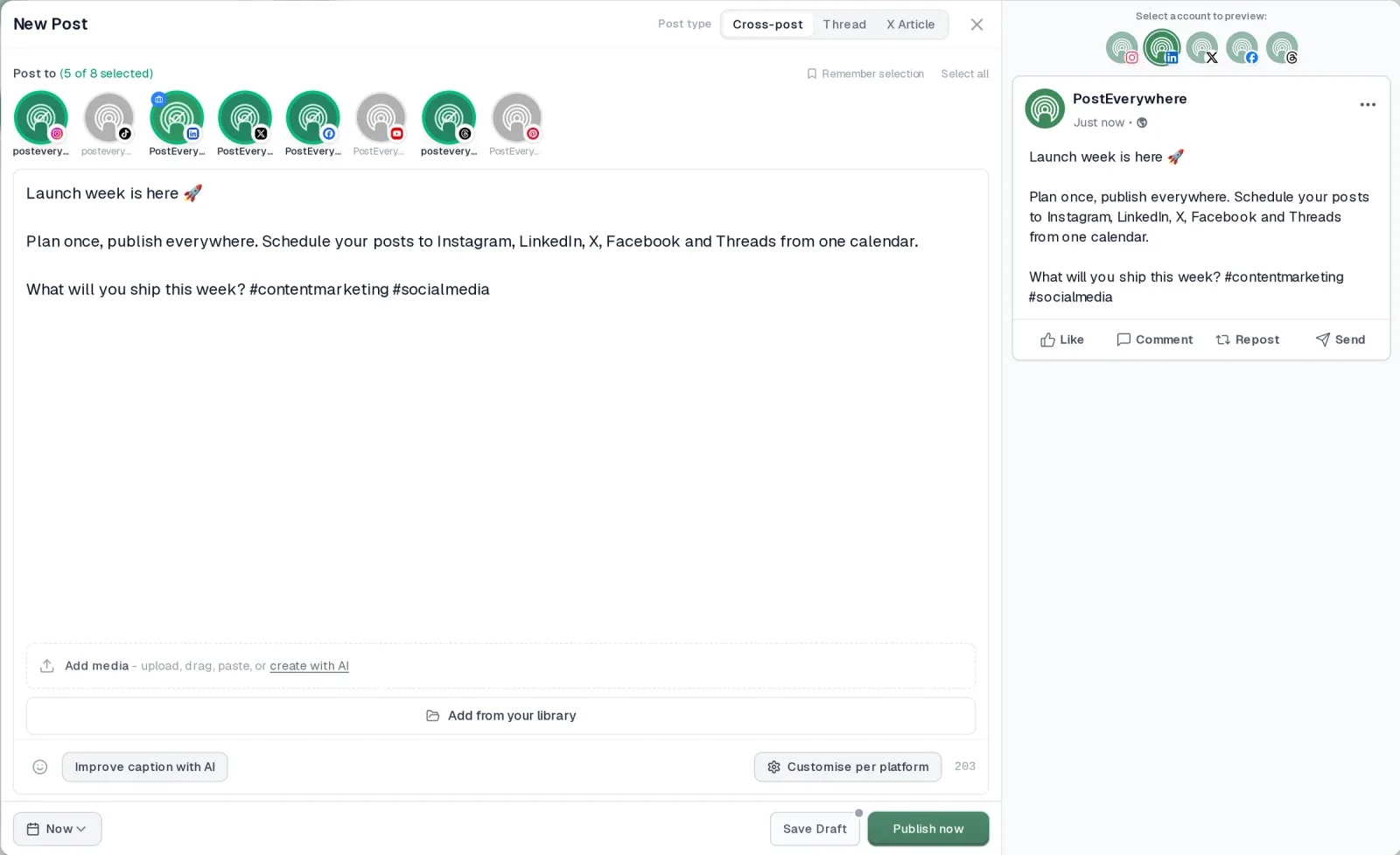
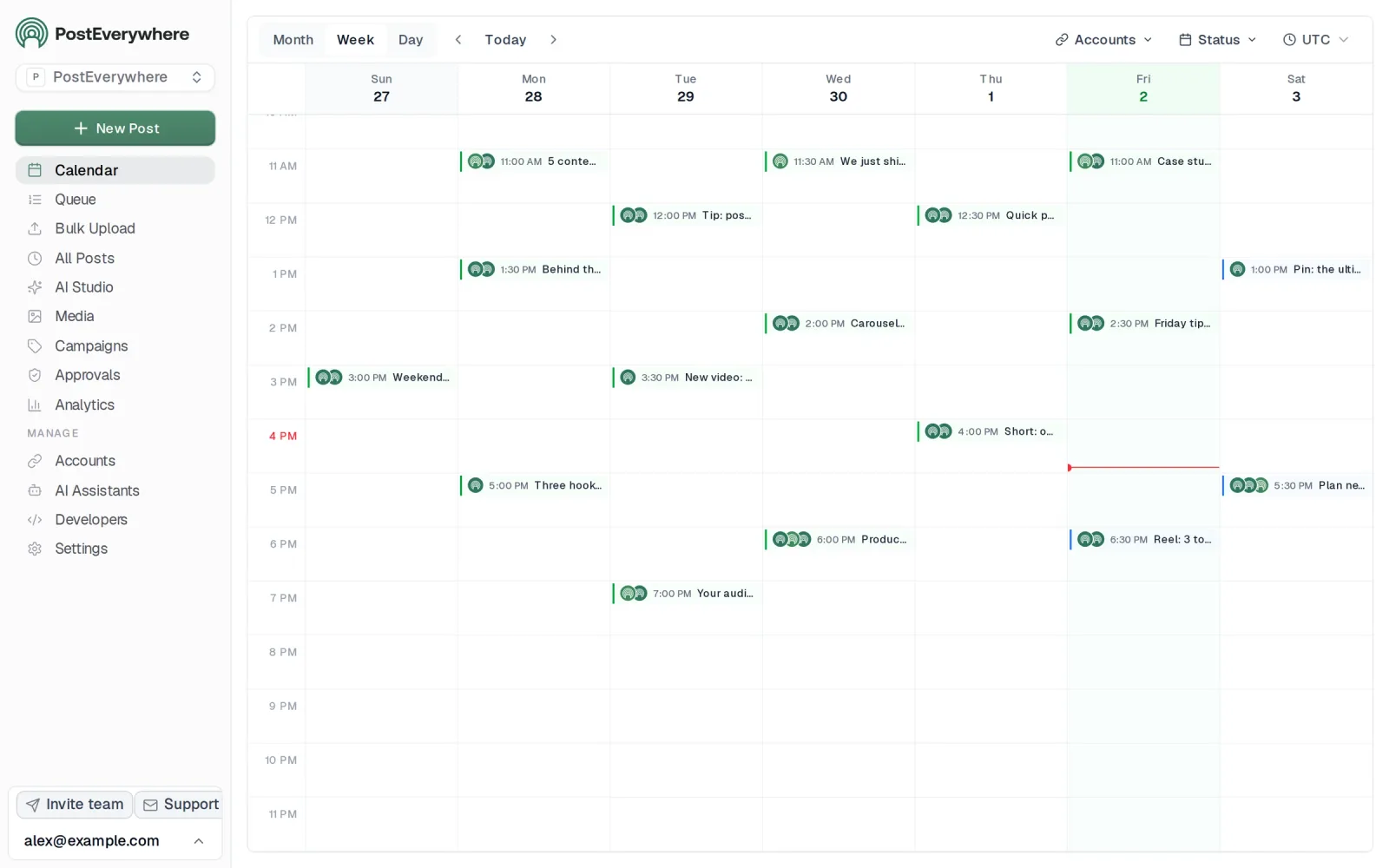
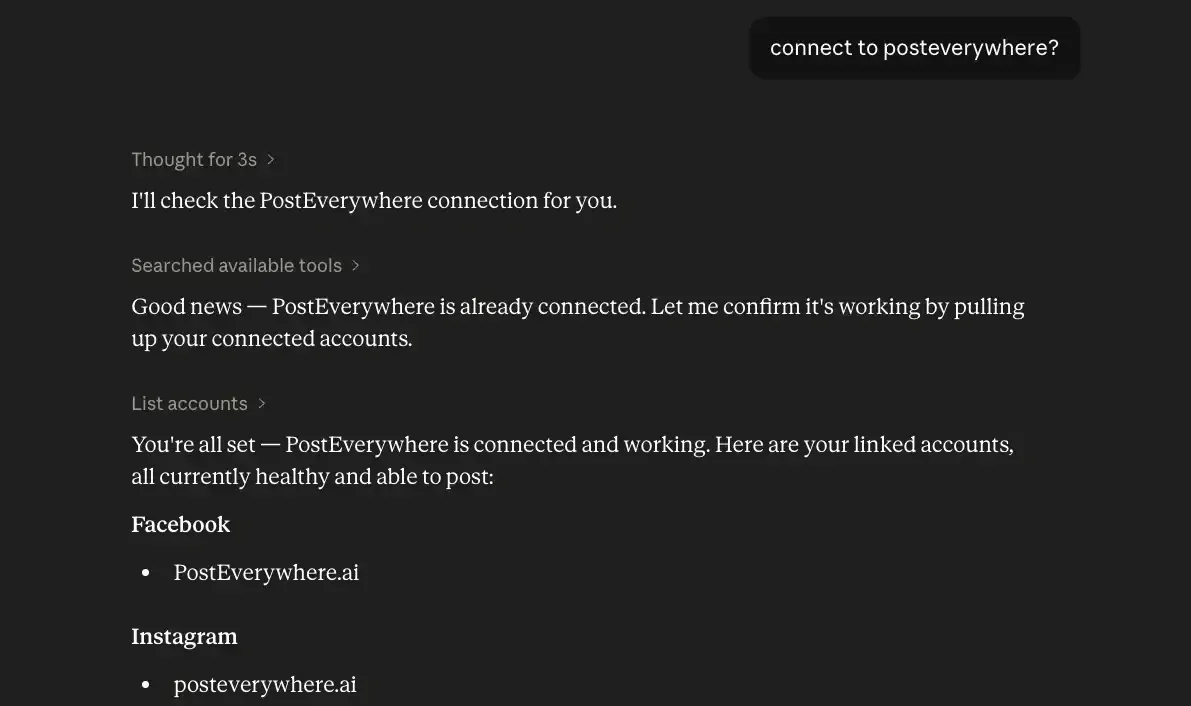
How PostEverywhere works
- Connect your accounts. Link your social accounts once, across all top platforms.
- Create the post. Write it in the composer, make images and video in AI Studio, or ask Claude or ChatGPT to draft and schedule it for you.
- Schedule it everywhere. Tweak the caption for each platform, check every preview, and it goes out on time from one calendar.
Why PostEverywhere wins for AI agents
- Agents do the whole job. A full hosted MCP server with up to 40 tools: publish, schedule, use your queue or the best time, bulk-schedule 50 posts at once, check results, retry failures and send links to connect new accounts. Some rival MCP servers only read data or create drafts.
- $29 a month for 10 accounts, flat. Full API and agent access included, with no per-channel, per-seat or per-call fees. The same 10 accounts cost $60 a month on Buffer and $99 per user (billed annually) on Hootsuite.
- Nothing gated. API, MCP and webhooks come with every plan, from Lite. Several rivals keep their API for higher tiers or a sales call.
- Connected in a minute. One click adds PostEverywhere to Claude, with one-click installs for Cursor and VS Code. ChatGPT adds it under Plugins.
“This tool has truly made my content posting so much easier, I can't work without it. I can schedule my posts days in advance while working on other projects. Set it and forget it.”
Also in PostEverywhere: a posting queue, bulk upload from CSV, approvals, analytics, an API and the iPhone app.
PostEverywhere is the agentic social media scheduler built for AI agents. Instead of a team logging into a dashboard to run every post, you can connect Claude or ChatGPT and ask it to write, schedule and publish across all your accounts, or drive it from your own stack through the REST API, webhooks and MCP server.

PostEverywhere's social media management platform is built for creators, small businesses, marketing teams and their AI agents who want full-stack features without enterprise pricing. It combines content creation, scheduling, analytics, and team workspaces in one clean dashboard, and its hosted MCP server is listed in Claude's connector directory, so Claude, ChatGPT or any AI agent can run the same workflows directly.
If you are choosing the agent as well as the tool, see our AI social media agent comparison.
Platforms supported: Instagram, TikTok, LinkedIn, Facebook, X, YouTube, Threads, Pinterest, Bluesky, Telegram, Discord and WordPress
Key features:
- AI Studio: generate captions, images and short videos with the latest, highest-quality models
- Visual content calendar with drag-and-drop scheduling
- Cross-platform publishing: adapt and post everywhere at once, including pair workflows like posting to Instagram and Facebook at the same time
- Native publishing for Instagram feed posts and Reels, Facebook Pages, LinkedIn updates and YouTube videos and Shorts
- Best-time suggestions based on when your own posts have done best
- Analytics dashboard with engagement tracking across all platforms
- Team workspaces with roles and permissions
- Unlimited posts on every plan
Pricing:
- Lite: $9/mo: 2 social accounts
- Starter: $19/mo: 5 social accounts
- Growth: $29/mo: 10 social accounts
- Scale: $39/mo: 20 social accounts
- All plans include a 7-day free trial, cancel anytime
Pros:
- All top platforms in one dashboard
- AI image and caption generation built in (not a bolt-on)
- Unlimited posts on every tier
- Clean, fast interface with minimal learning curve
- Best value in the category: full management features at scheduler pricing
Cons:
- No social listening or social inbox: it's built to be driven by an AI agent or your own code instead
- No exportable client reports yet
- No white-label option for agencies


Best for: Creators, small businesses, and growing teams who want modern AI-assisted management without paying enterprise prices. For the longer pitch on how the bundle replaces a freelance social manager, see our dedicated AI social media manager page: same product, framed around the headcount math.
Try PostEverywhere: Start your 7-day trial: cancel anytime. Full access to AI Studio, scheduling, and analytics.
2. Hootsuite: Enterprise Scale and Compliance

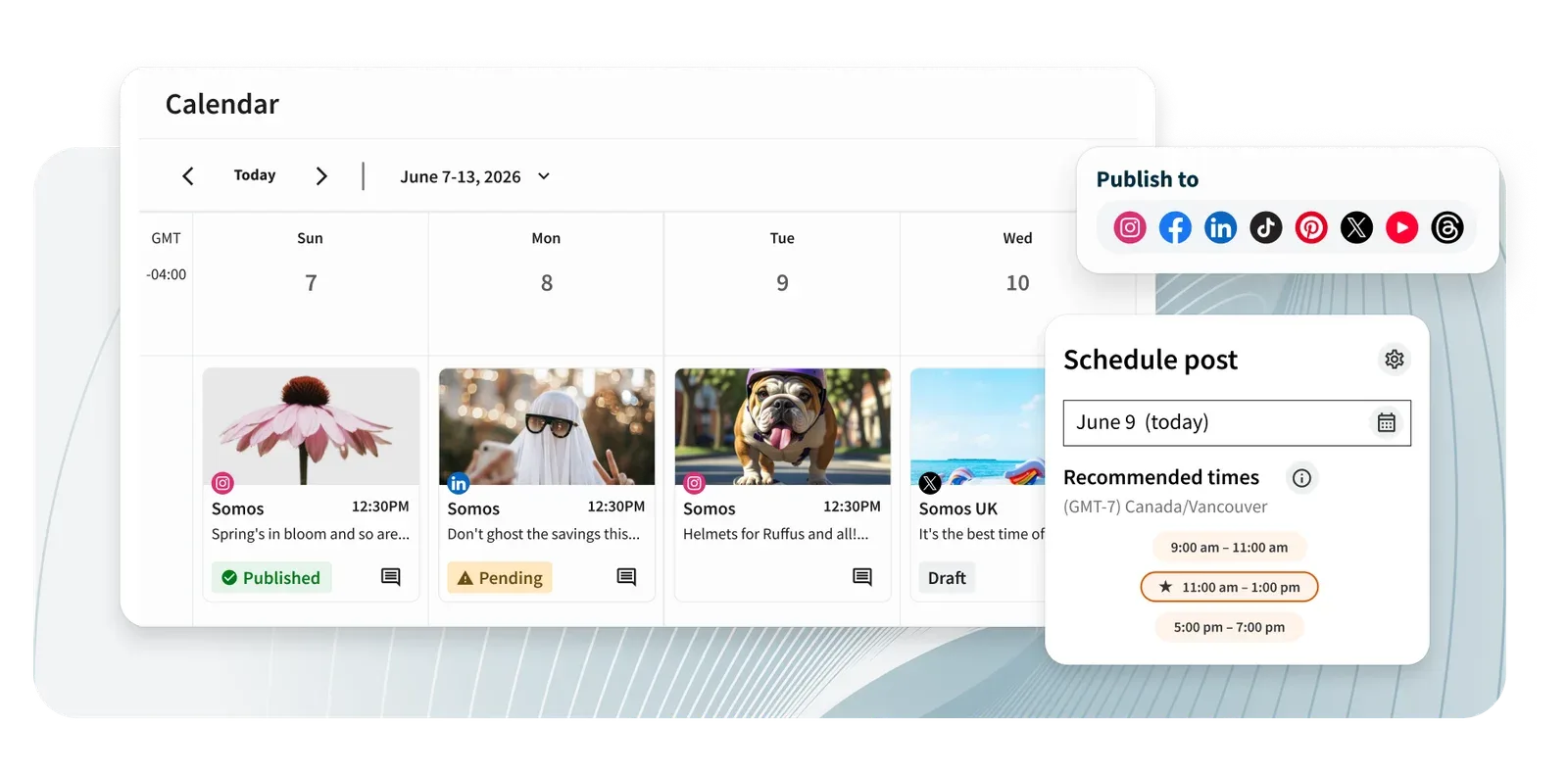

Hootsuite is one of the oldest social media management platforms on the market. It's built for large organizations that need social listening, compliance tools, and integrations with enterprise software stacks.
Platforms supported: Instagram, TikTok, LinkedIn, Facebook, X, YouTube, Pinterest, and 20+ others via integrations
Key features:
- Unified social inbox for all messages and mentions
- Social listening and brand monitoring
- Advanced analytics with custom reporting
- Ad management integration (Facebook, Instagram, LinkedIn)
- Team workflows with multi-level approvals
- 150+ app integrations
Pricing: Standard $99/user/month (10 social accounts), Professional $199/user/month, Advanced $399/user/month, all billed annually; Enterprise custom pricing. 14-day free trial.
Pros:
- Extremely comprehensive feature set
- Handles high-volume posting across dozens of accounts
- Strong enterprise security and compliance
- Social listening included on higher tiers
- Massive integration library
Cons:
- Expensive for small teams
- Interface can feel cluttered and overwhelming
- Steep learning curve for new users
- No free plan, only a 14-day trial
Best for: Large enterprises and organizations with complex social media operations, compliance requirements, and big budgets. If the price tag is the dealbreaker, our roundup of Hootsuite alternatives has comparable options at lower tiers.
3. Sprout Social: Deep Analytics and Client Reporting

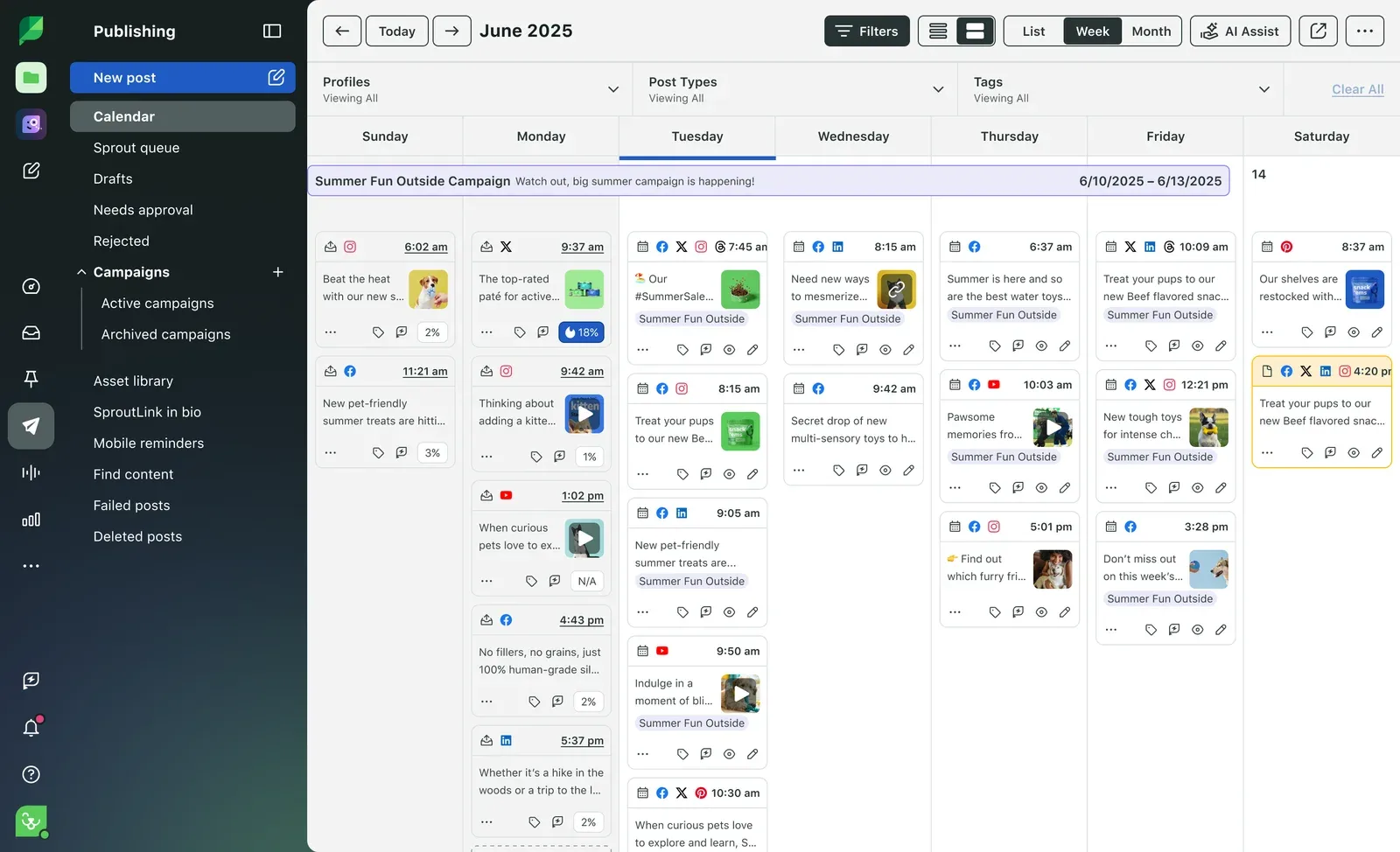

Sprout Social is a premium management platform known for its analytics and reporting capabilities. If data-driven decision making is your priority, Sprout's reporting is the gold standard.
Platforms supported: Instagram, TikTok, LinkedIn, Facebook, X, YouTube, Pinterest, WhatsApp
Key features:
- Industry-leading analytics with presentation-ready reports
- Social listening and sentiment analysis
- CRM integration (Salesforce, HubSpot, Zendesk)
- Smart inbox with conversation history
- Competitive benchmarking
- Employee advocacy tools
Pricing: Essentials $79/seat/month, Standard $199, Professional $299 and Advanced $399 on annual billing ($99, $249, $399 and $499 billed monthly); Enterprise custom.
Pros:
- Top-tier analytics and reporting
- Presentation-ready reports you can share with clients or leadership
- Strong CRM integrations for connecting social to sales
- Excellent customer support
- Regular feature updates and platform additions
Cons:
- Very expensive: per-seat pricing adds up fast
- Overkill for small teams or solo creators
- Steep learning curve for the full feature set
- No free plan (30-day free trial)
Best for: Agencies, mid-market brands, and data-driven teams that need advanced analytics and client reporting. If you're shortlisting both enterprise platforms together, our Sprout Social vs Hootsuite breakdown walks through where each platform actually wins.
4. Agorapulse: The Unified Social Inbox


Agorapulse is a management platform that puts the social inbox front and centre. If your team spends significant time responding to comments, DMs, and mentions, Agorapulse's inbox workflow is hard to beat.
Platforms supported: Instagram, TikTok, LinkedIn, Facebook, X, YouTube, Google Business
Key features:
- Unified social inbox with conversation tracking
- Saved replies and inbox assistant
- Content scheduling and publishing
- Social listening and monitoring
- ROI reporting and analytics
- Team collaboration with assignment workflows
Pricing: Free plan (limited); Standard $79/user/month, Professional $119/user/month and Advanced $149/user/month on annual billing ($99, $149 and $199 monthly); Custom for larger teams. 30-day free trial.
Pros:
- Best social inbox in the category
- Conversation tracking helps teams stay organized
- 30-day free trial, no card required
- Good analytics with ROI tracking
- Intuitive interface that's easy to learn
Cons:
- Per-user pricing gets expensive for larger teams
- Publishing features less advanced than dedicated schedulers
- Social listening limited compared to Sprout Social
- AI features still basic compared to newer platforms
Best for: Teams that handle high volumes of comments, DMs, and mentions and need a structured inbox workflow.
5. Sendible: Built for Agency Client Work
 SendibleMCP server: none listed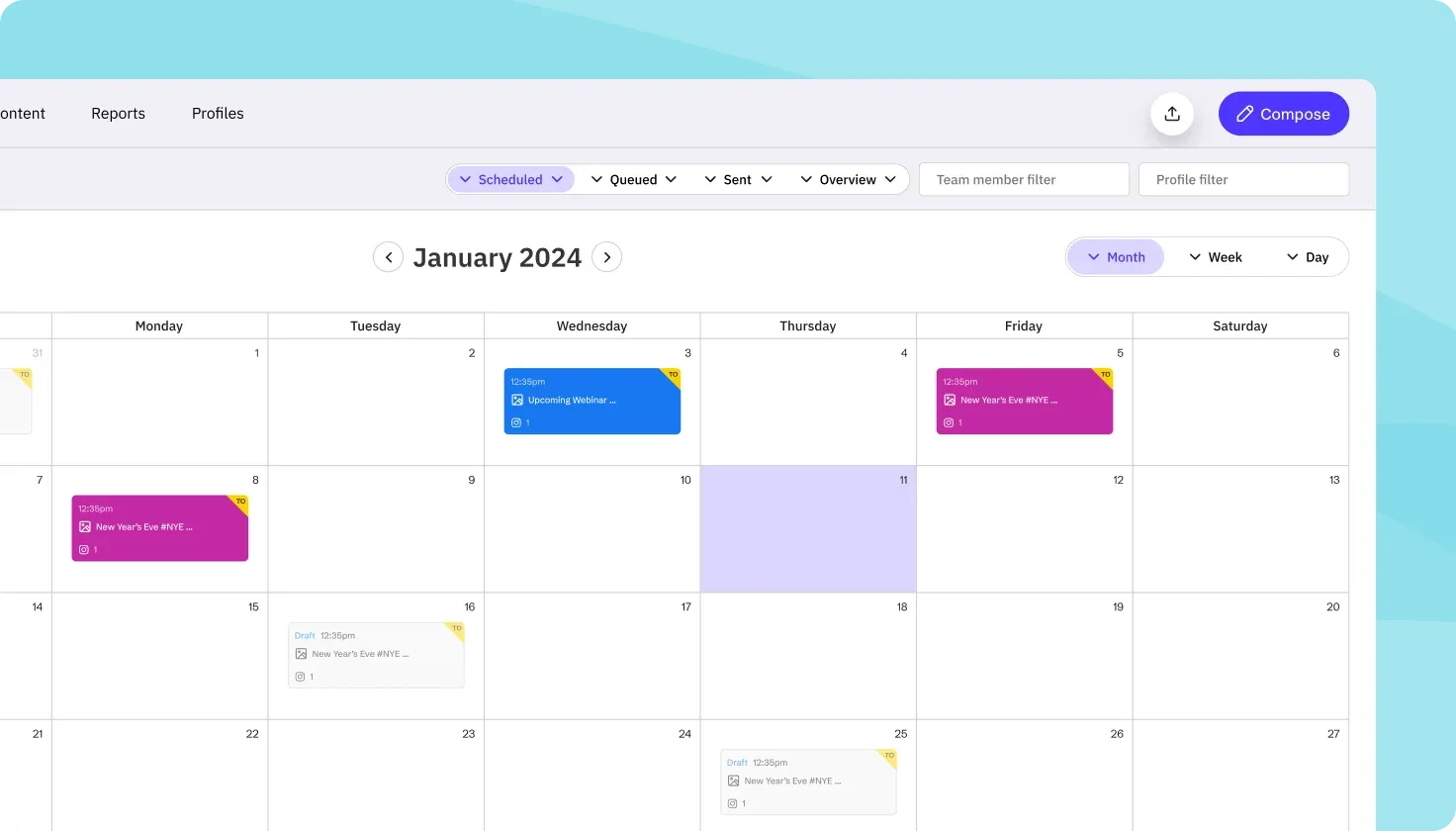

Sendible is built specifically for agencies that need white-label dashboards, client management, and brandable reports. If you manage social media for clients and want your own branded experience, Sendible delivers.
Platforms supported: Instagram, TikTok, LinkedIn, Facebook, X, YouTube, Google Business
Key features:
- White-label dashboard with custom branding
- Client management and separate workspaces
- Unified inbox for messages and comments
- Content suggestions and RSS automation
- Custom branded reports
- Team collaboration with approval workflows
Pricing: Core $35/month (6 profiles), Plus $99 (18), Premium $199 (42), Elite $299 (90) and Enterprise $750 (300), all with unlimited users; white label is a paid add-on on Elite and Enterprise.
Pros:
- True white-label option (your logo, your colours, your domain)
- Solid client management features
- Reasonable pricing for agencies
- Good platform coverage including YouTube
- Branded reports clients can understand
Cons:
- Interface feels dated compared to newer tools
- Analytics shallower than Sprout Social
- Mobile app needs improvement
- AI features limited: no content generation
Best for: Agencies that manage multiple clients and need white-label dashboards with brandable reports.
Looking for management features without the agency price tag? PostEverywhere gives you AI content, scheduling, analytics, and team workspaces starting at $9/mo. Start your 7-day trial.
6. SocialBee: Category-Based Content Recycling
 SocialBeeMCP server: none listed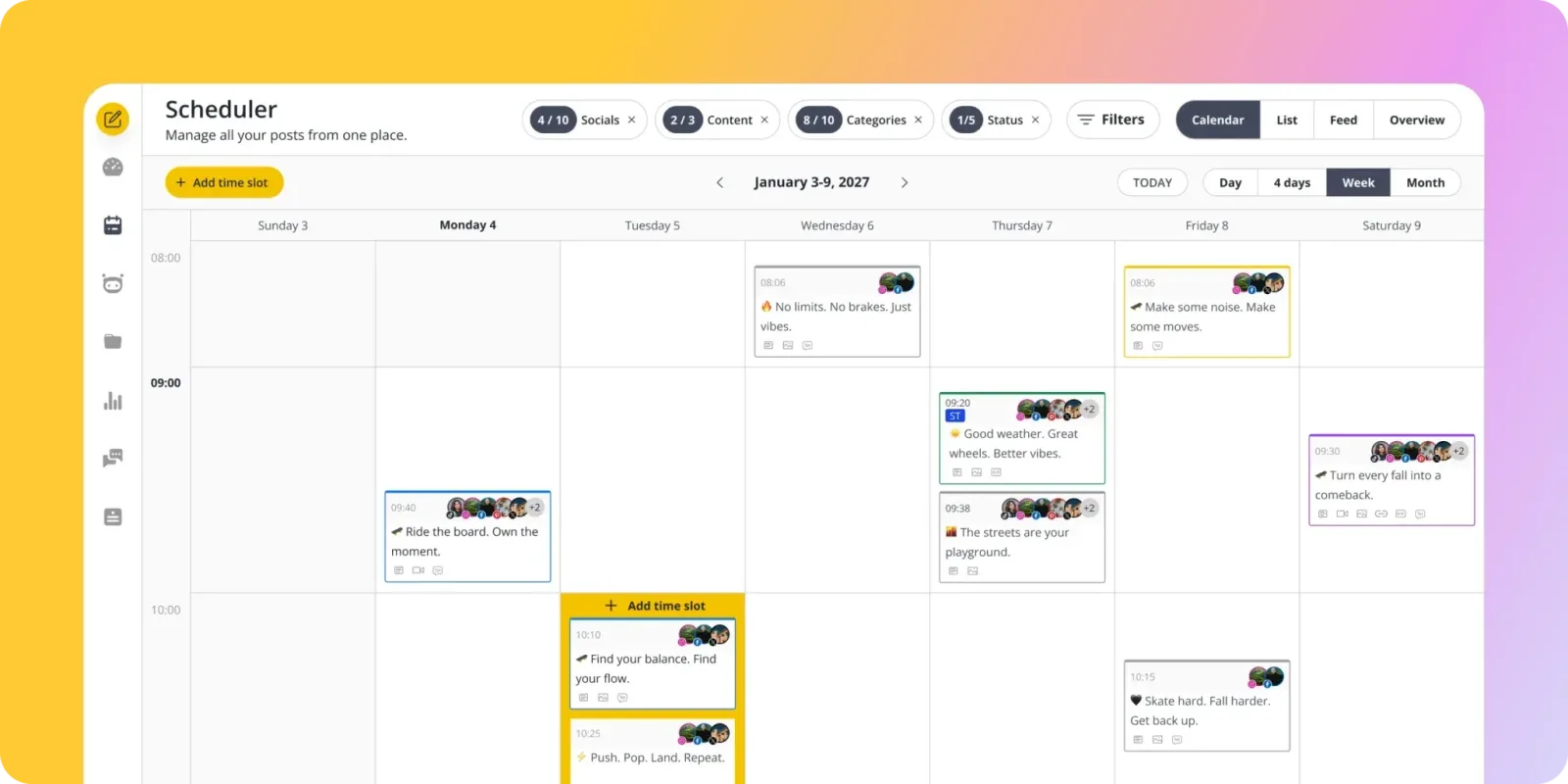
SocialBee takes a category-based approach to content management. You organize posts into categories (promotional, educational, curated, etc.) and SocialBee automatically rotates through them, keeping your content mix balanced and your evergreen posts in circulation.
Platforms supported: Instagram, TikTok, LinkedIn, Facebook, X, Pinterest, Google Business
Key features:
- Category-based content scheduling
- Evergreen content recycling (posts re-queue automatically)
- AI caption generator
- Canva integration for in-app design
- RSS feed automation
- Team workspaces and collaboration
Pricing: Bootstrap $29/month (5 profiles, 1 user); Accelerate $49/month (10 profiles, 1 user); Pro $99/month (25 profiles, 3 users).
Pros:
- Unique category system keeps content mix balanced
- Evergreen recycling saves hours of re-posting
- Good AI caption generation
- Canva integration means no tab-switching for design
- Reasonable pricing for solo users
Cons:
- Category system has a learning curve
- Interface less polished than competitors
- Analytics are basic compared to Sprout or Agorapulse
- No YouTube support
Best for: Content marketers and solo creators who rely on evergreen content and want automated content rotation.
7. Loomly: Structured Approval Workflows
 LoomlyMCP server: none listed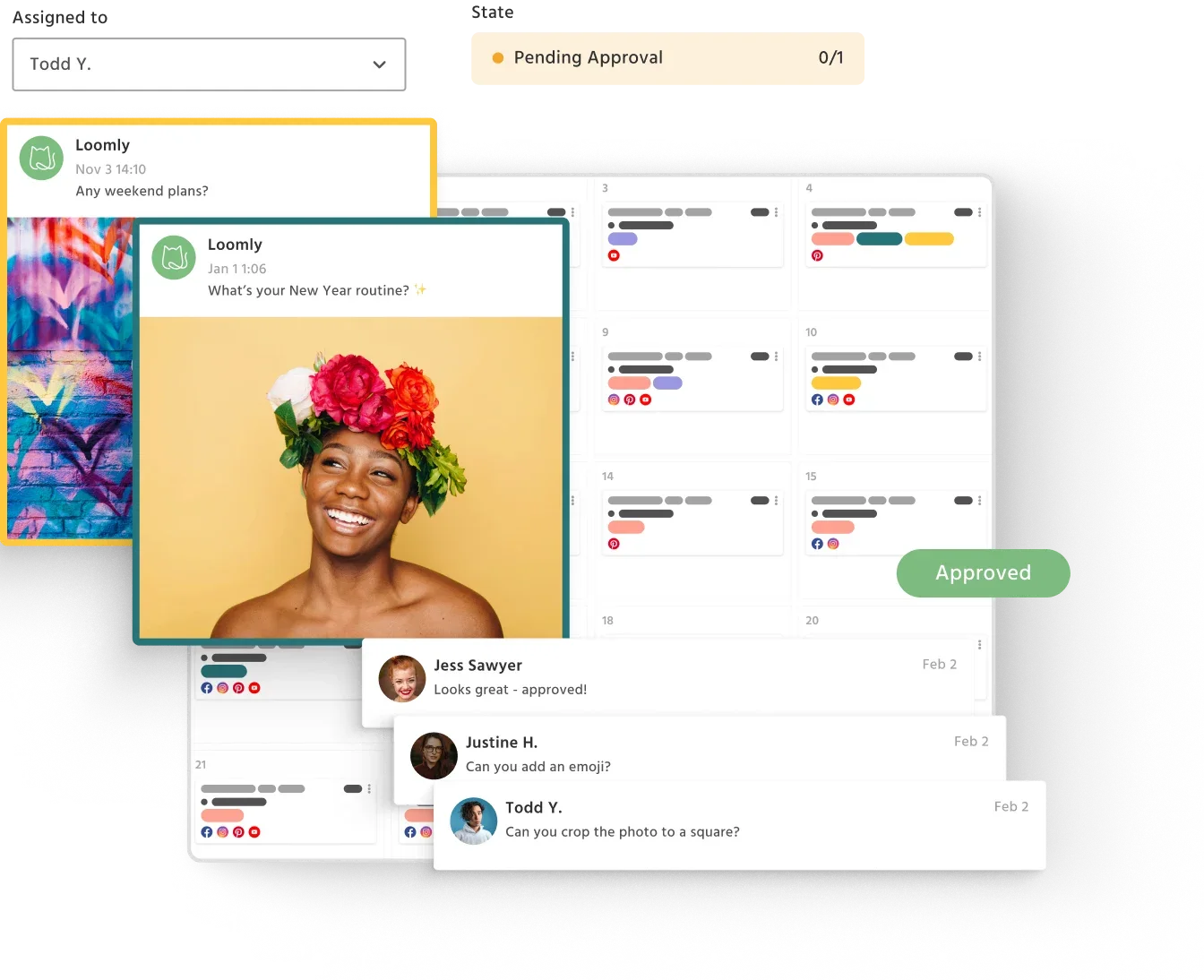

Loomly is a management platform designed around structured content workflows. If your team has formal approval processes: manager sign-off, client review, legal compliance: Loomly makes that process smooth instead of painful.
Platforms supported: Instagram, TikTok, LinkedIn, Facebook, X, Pinterest, YouTube, Google Business
Key features:
- Multi-step approval workflows (customizable chains)
- Content calendar with post ideas and inspiration
- Asset library for team media sharing
- Hashtag suggestions and optimization
- Automated publishing and notifications
- Interaction tracking (basic inbox)
Pricing: Starter $49/month billed annually ($65 monthly) for 12 accounts and 3 users; Beyond $249/month billed annually ($332 monthly) for 60 accounts and unlimited users; Enterprise custom. No free plan.
Pros:
- Best approval workflows in the category
- Content idea suggestions help with creative blocks
- Clean, intuitive interface
- Good platform coverage (8 platforms)
- Reasonable pricing for small teams
Cons:
- Analytics less detailed than Sprout Social or Agorapulse
- Social inbox is basic: no conversation threading
- No AI content generation built in
- Mobile app needs improvement
Best for: Marketing teams, regulated industries, and agencies with formal content approval requirements. Worth noting: Loomly doesn't natively handle workflows like posting to Instagram and Threads at the same time with platform-specific captions, so multi-platform creators may still want a dedicated cross-poster alongside it.
8. Buffer: The Simplest Place to Start

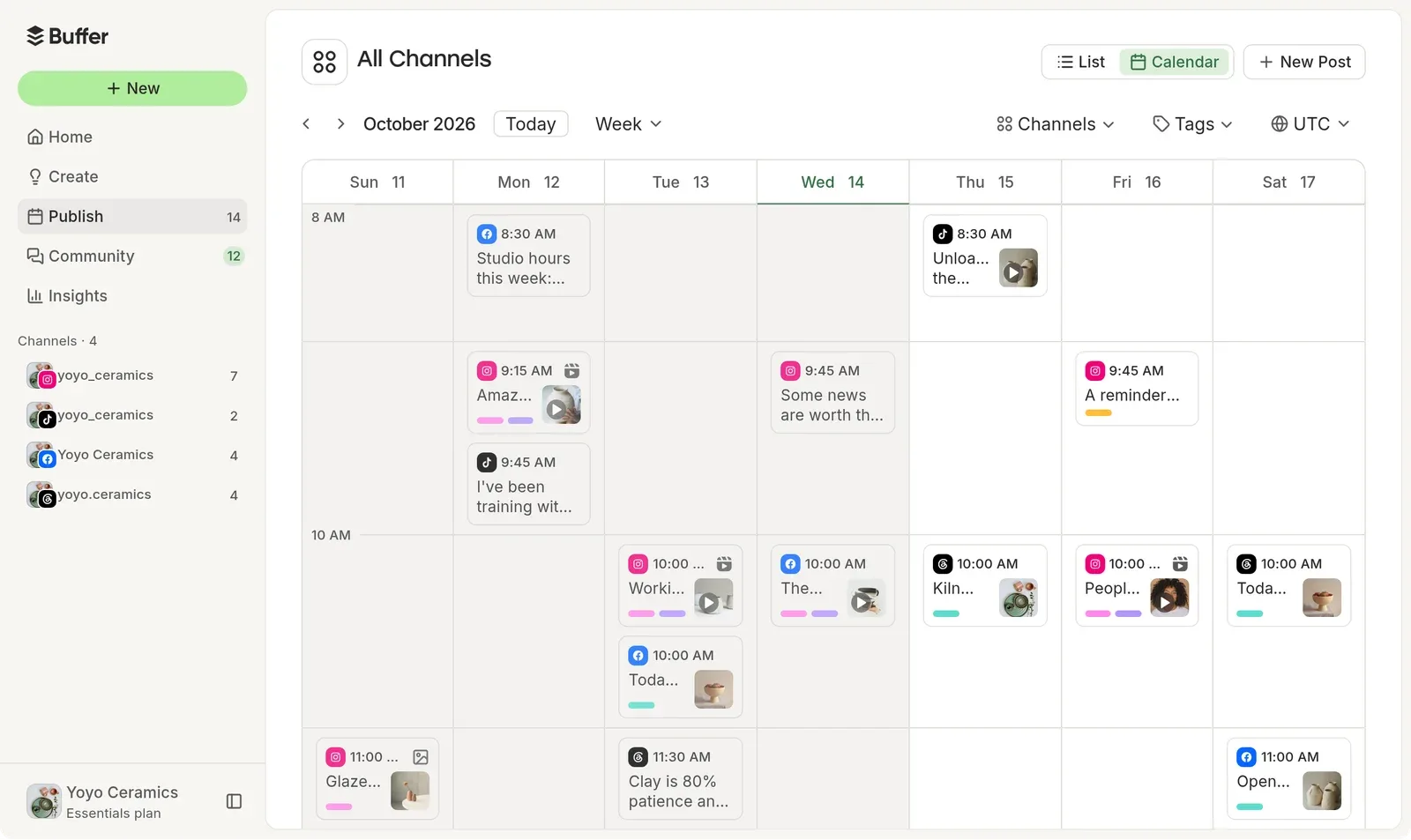

Buffer has been around since the early days of social media management. It's shed features over the years to focus on what it does best: simple, clean scheduling and basic analytics. If you want a tool that takes 10 minutes to learn, Buffer is it.
Platforms supported: Instagram, TikTok, LinkedIn, Facebook, X, Pinterest, YouTube, Threads, Mastodon
Key features:
- Simple queue-based scheduling
- Basic analytics and reporting
- Landing page builder (Start Page)
- AI assistant for caption writing
- Browser extension for quick sharing
- Team collaboration on higher plans
Pricing: Free (3 channels, 10 posts/channel); Essentials $6/month per channel ($5 billed annually); Team $12/month per channel ($10 billed annually).
Pros:
- Easiest tool to learn and use
- Very affordable, especially for 1-3 channels
- Good free plan for getting started
- Clean, distraction-free interface
- Broad platform support including Threads and Mastodon
Cons:
- Analytics are basic: not enough for data-driven teams
- No social inbox or conversation management
- Per-channel pricing adds up with many accounts
- Limited team features compared to Sprout or Hootsuite
Best for: Solo creators and small businesses who want simple scheduling without the complexity of a full management platform. For richer feature comparisons, see our Buffer alternatives roundup.
9. Later: Visual-First Content Planning
 LaterMCP server: none listed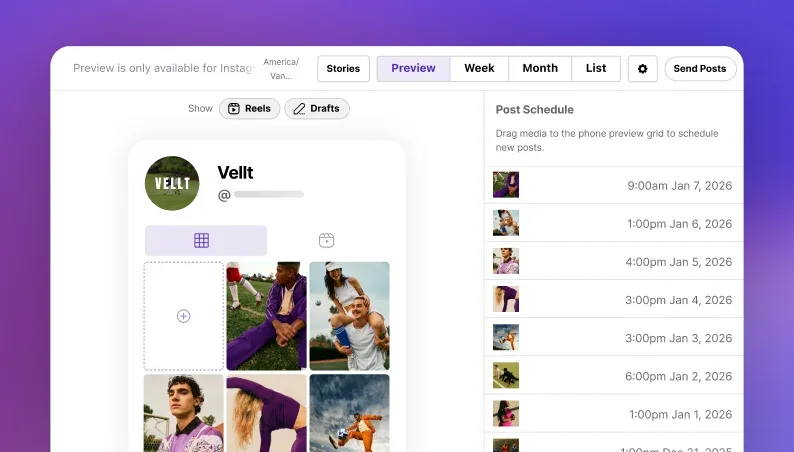
Later started as an Instagram-first scheduling tool and has grown into a visual content planning platform. Its signature feature is the visual Instagram grid preview: you can drag and drop posts to see exactly how your feed will look before anything goes live.
If your brand's aesthetic matters, Later makes planning it painless.
Platforms supported: Instagram, TikTok, LinkedIn, Facebook, Pinterest, Threads, YouTube Shorts, Snapchat
Key features:
- Visual Instagram grid preview for feed planning
- Linkin.bio: a shoppable landing page linked from your Instagram bio
- Media library with labels and notes for organizing assets
- Best-time-to-post suggestions based on audience activity
- User-generated content tools for discovering and reposting UGC
- Hashtag suggestions and saved hashtag groups
Pricing: Starter $18.75/month (1 social set), Growth $37.50/month (2 sets) and Scale $82.50/month (6 sets), billed annually. No free plan; 14-day trial.
Pros:
- Beautiful visual planner built for aesthetic-driven brands
- Instagram grid preview is top-tier
- Linkin.bio turns your feed into a shoppable landing page
- Good UGC discovery and reposting tools
- Affordable entry price for Instagram-focused users
Cons:
- Instagram-centric: other platforms feel like afterthoughts
- Limited analytics on lower tiers
- No social inbox or conversation management
- AI features are basic compared to PostEverywhere
Best for: Visual brands, Instagram-focused creators, and e-commerce businesses that need their feed to look cohesive.
10. SocialPilot: Value at Small-Business Scale

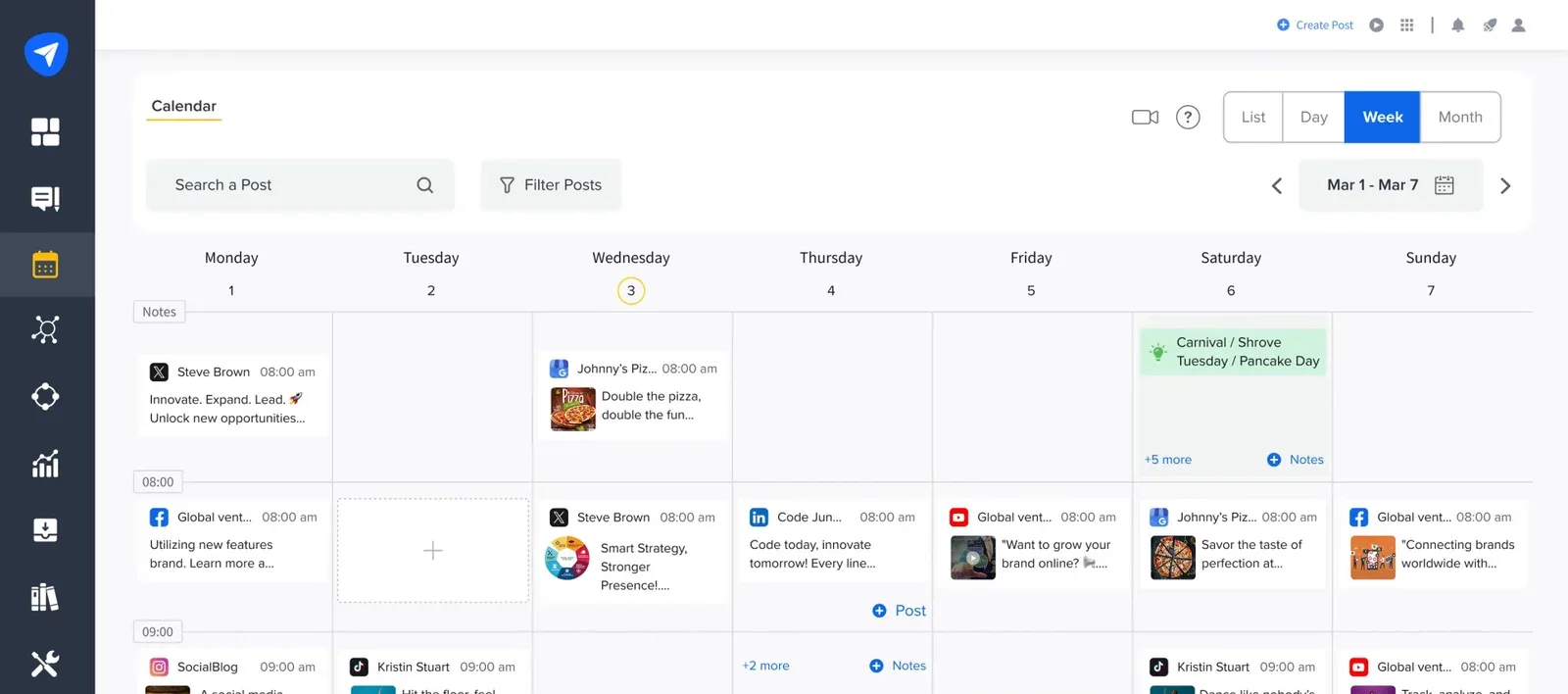
SocialPilot is built for small businesses and budget-conscious agencies that need to manage a lot of accounts without paying enterprise prices. Its standout feature is bulk scheduling: you can upload up to 500 posts at once via CSV, which saves hours for teams that plan content in batches.
Platforms supported: Instagram, TikTok, LinkedIn, Facebook, X, YouTube, Pinterest, Google Business
Key features:
- Bulk scheduling: upload up to 500 posts via CSV
- Content calendar with drag-and-drop rescheduling
- Client management with separate workspaces
- White-label PDF reports for agencies
- Browser extension for content curation
- 8 platforms including Google Business Profile
Pricing: Essentials $30/month (7 accounts, 1 user), Standard $50/month (15 accounts, 3 users), Premium $100/month (25 accounts, 6 users) and Ultimate $200/month (50 accounts); 15% off annual billing.
Pros:
- Very affordable for the number of connected accounts
- Bulk scheduling (500 posts via CSV) saves massive time
- Good platform coverage across 8 networks
- Client management and white-label reports for agencies
- Straightforward pricing without per-user charges
Cons:
- Interface less polished than newer competitors
- AI features are limited compared to dedicated AI tools
- Analytics are basic: no competitor tracking or sentiment analysis
- No social inbox for message management
Best for: Small businesses and budget-conscious agencies managing multiple accounts who need volume and value over premium features.
Want bulk scheduling with AI content creation? Our bulk scheduling feature pairs CSV upload with generated captions and images starting at $9/mo. Start your 7-day trial.
11. Metricool: Analytics on a Budget

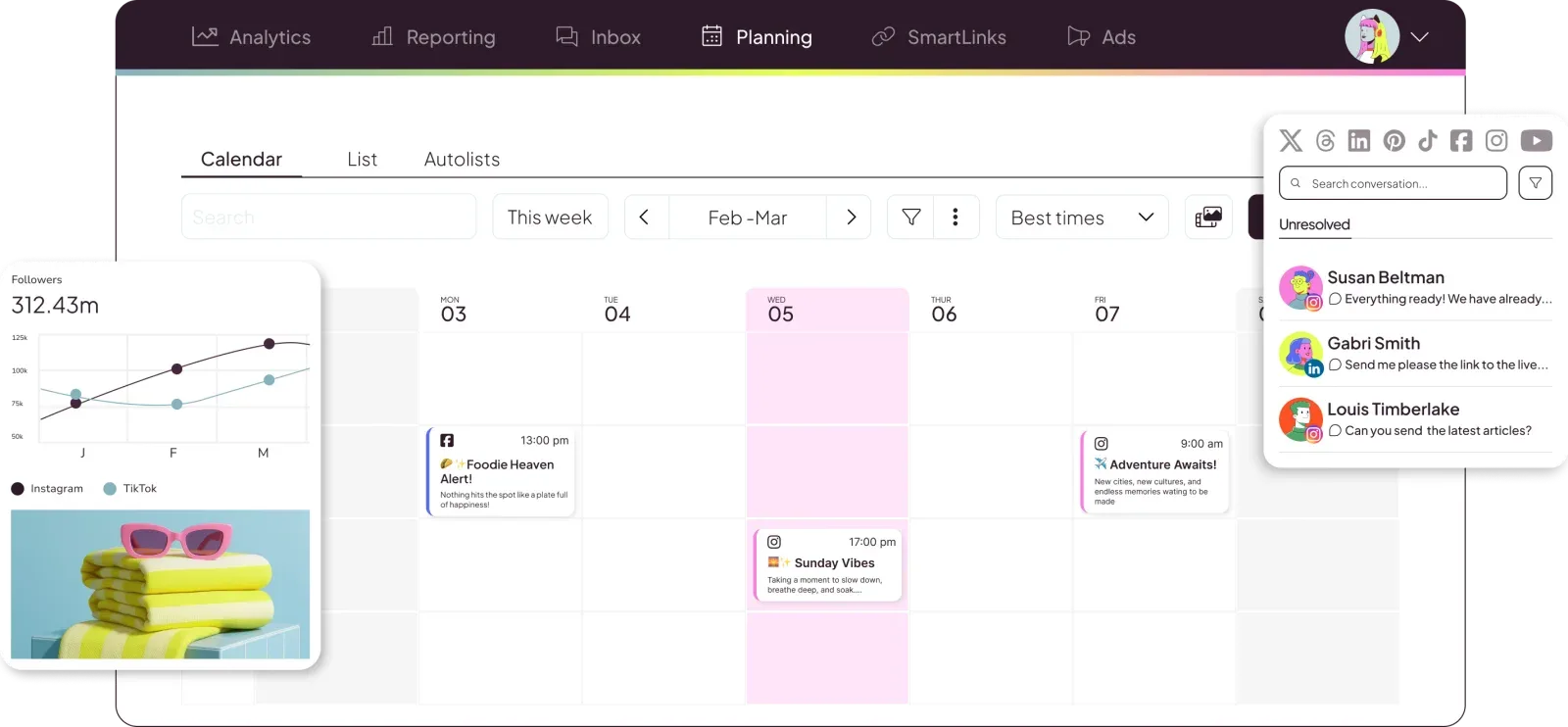
Metricool is an analytics-heavy management platform that punches well above its weight on reporting. If you want competitor tracking, ad analytics, and detailed performance data without paying Sprout Social prices, Metricool delivers serious analytics value at a fraction of the cost.
Platforms supported: Instagram, TikTok, LinkedIn, Facebook, X, YouTube, Pinterest, Twitch
Key features:
- Detailed analytics across 8 platforms (including Twitch)
- Competitor tracking and benchmarking
- Ad analytics for Facebook, Instagram, and Google Ads
- Content scheduling and auto-publishing
- Best-time-to-post recommendations
- Hashtag tracker and performance analysis
Pricing: Free (1 brand, 20 posts/month); Starter from $25/month ($20 billed annually, up to 5 brands); Advanced from $67/month ($53 billed annually, up to 15 brands); Custom for more.
Pros:
- Excellent analytics for the price: competitor tracking included
- Good free plan with real functionality (20 posts/month)
- 8 platforms including Twitch (unique in this category)
- Ad analytics across Facebook, Instagram, and Google
- Affordable upgrade path from free to paid
Cons:
- Interface less intuitive than competitors like Buffer
- Bulk upload options are limited
- AI features are basic: no image generation
- Publishing workflow not as smooth as dedicated scheduling tools
Best for: Data-driven marketers who want analytics and competitor tracking without paying Sprout Social's price tag.
12. Planable: Collaboration and Sign-Off

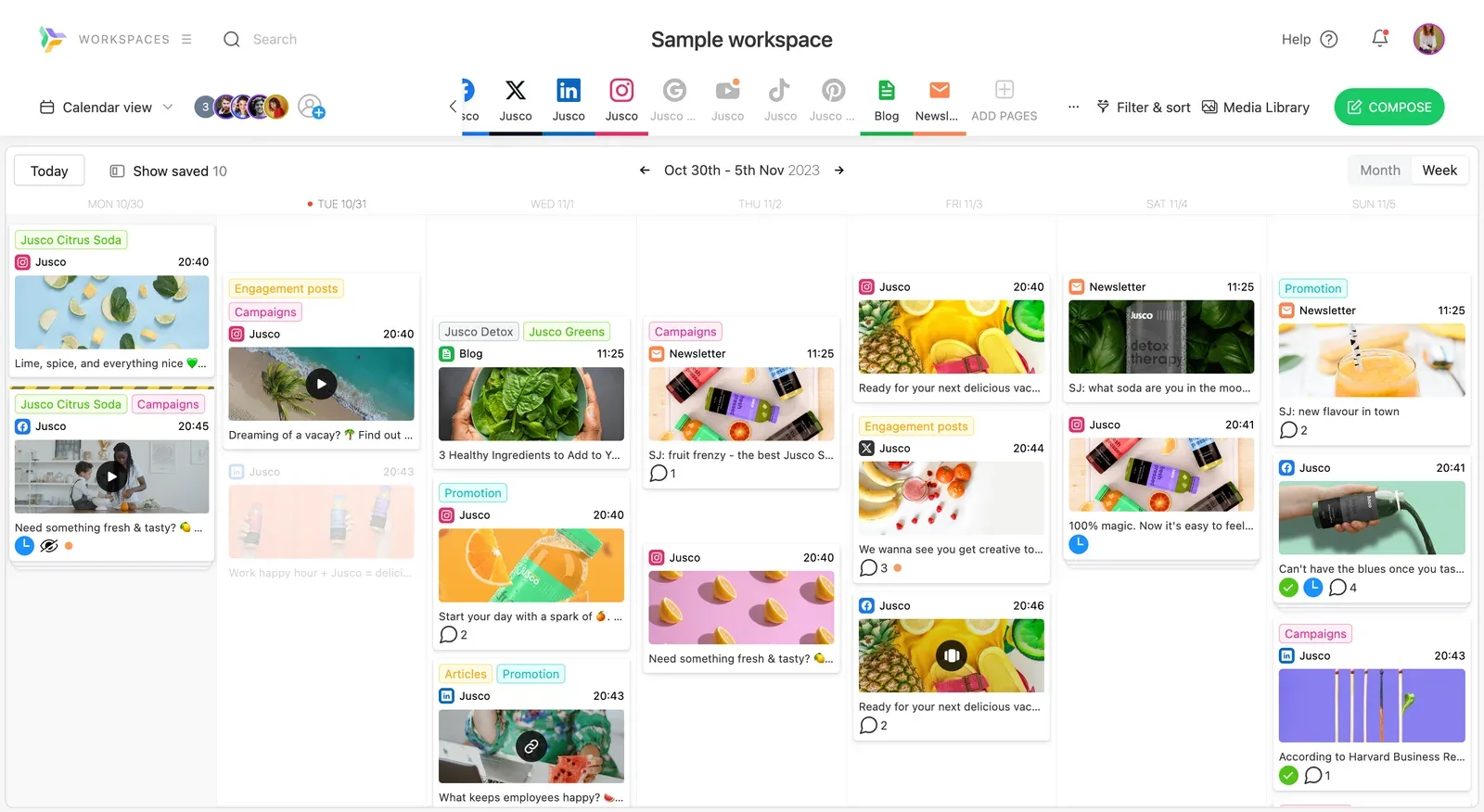
Planable is a collaboration-first platform designed for marketing teams that need structured feedback and approval workflows. Its standout feature is unlimited users on every plan: you can invite your entire team, clients, and stakeholders without worrying about per-seat charges.
Platforms supported: Instagram, TikTok, LinkedIn, Facebook, X, YouTube, Threads, Pinterest, Google Business
Key features:
- Multi-level approval workflows (none, optional, required, multi-level)
- Unlimited team members on every plan
- Pixel-perfect post previews across all platforms
- Universal content planning: social posts, blogs, newsletters, and ads
- 9 platforms including Threads and Google Business
- Feed view, calendar view, grid view, and list view
Pricing: Free (50 posts total); Basic $39/month per workspace ($33 billed annually); Pro $59/month per workspace ($49 billed annually); Enterprise custom.
Pros:
- Best approval workflows with flexible permission levels
- Unlimited users on every plan eliminates per-seat cost anxiety
- 9 platforms: broadest coverage in this list
- Pixel-perfect previews show exactly how posts will appear
- Universal content covers social, blogs, newsletters, and ads
Cons:
- Post limits on lower tiers (50 total on free, limited on Basic)
- Per-workspace pricing can add up for multi-brand agencies
- Analytics shallower than Sprout Social or Metricool
- No AI content generation built in
Best for: Marketing teams and agencies that need structured approval workflows and client collaboration without per-user pricing.
Best Social Media Management Tools for Small Businesses
A small business needs a social media management tool that is cheap to start, month to month, and does not punish you for adding a second person. Most of the tools above were built for marketing teams or agencies, so here is how to read them as a small business owner.
Avoid the enterprise traps. If a tool hides its pricing behind "contact us", insists on an annual contract, charges $50 or more per seat, adds an onboarding fee, sells AI as a separate upcharge, or puts a major platform like Instagram on a higher tier, it was not built for you.
Know what each price tier buys.
| Monthly price | What you typically get | Who it suits |
|---|---|---|
| $9 to $40 | Scheduling to your main platforms, a content calendar, basic analytics, AI caption help | Solo founders and small teams, which is most small businesses |
| $50 to $100 | Extra seats, approvals, PDF reports, competitor tracking | A business with a marketing hire or a board to report to |
| $100 and up | A unified inbox for DMs and comments, social listening, white-label client reports | Agencies and larger teams; usually overkill for a small business |
Start in the lowest tier that covers your platforms. PostEverywhere's plans for small businesses start at $9 a month (Lite: 2 accounts, 1 seat) and Starter at $19 covers 5 accounts and 2 seats. Every plan starts with a 7-day trial, card required.
If you outgrow it, moving up a tier takes a click, with no contract to break.
Software, platform or tool: does the label matter?
Vendors use the three words interchangeably and it causes real confusion when you are comparing.
In practice there is no agreed distinction. Social media management software, social management tools and management platforms all describe the same category, and the label a vendor picks usually reflects when they were founded rather than what they do. Older products lean on "software", newer ones on "platform".
What actually separates them is scope. A scheduler queues posts and stops there. Anything calling itself a management platform should also cover content creation, analytics, an inbox or approvals, and multi-account handling. Judge the feature list, not the noun on the pricing page.
Managing all your social media in one place
The pitch behind every tool on this list is the same: one login instead of eleven.
It is worth being precise about what that does and does not mean. Publishing genuinely consolidates. You write once, adapt per network, and everything goes out from a single calendar through each platform's official API.
Analytics mostly consolidates, though the depth varies by network and some metrics are only available inside the native app.
What does not fully consolidate is engagement. Inbox coverage is uneven across every tool here, and a few networks restrict replies through third-party APIs entirely. If replying at volume is the job, check that specific network's support before you commit rather than assuming "all in one place" covers it.
Social Media Management Platforms Comparison

| Platform | Starting Price | Best For | Platforms | AI Features | Social Inbox | What an AI agent can do (MCP) |
|---|---|---|---|---|---|---|
| PostEverywhere | From $9/mo | AI agents and value | All top platforms | Yes (images, captions, video) | Coming soon | Publish, schedule, queue, best time, bulk, retry, connect accounts |
| Hootsuite | $99/user/mo (annual) | Enterprise | 20+ | Yes | Yes | Draft, schedule, publish, media, analytics |
| Sprout Social | $79/seat/mo (annual) | Analytics | 8 | Yes | Yes | Read-only TikTok analytics, ChatGPT only |
| Agorapulse | Free / $79/user/mo (annual) | Social inbox | 7 | Basic | Yes (best) | Has an MCP server |
| Sendible | $35/mo | White-label agencies | 7 | No | Yes | No MCP server |
| SocialBee | $29/mo | Content recycling | 7 | Yes | No | No MCP server |
| Loomly | $49/mo (annual) | Approval workflows | 8 | Basic | Basic | None listed |
| Buffer | Free / $6/channel | Simplicity | 9 | Basic | No | Draft, schedule, publish, analytics |
| Later | $18.75/mo (annual) | Visual planning | 8 | Basic | No | No MCP server |
| SocialPilot | $30/mo | Small business value | 8 | Basic | No | Draft, schedule, publish |
| Metricool | Free / $25/mo | Budget analytics | 8 | Basic | No | Schedule, analytics, best times |
| Planable | Free / $33/mo/workspace | Team collaboration | 9 | No | No | Drafts and approvals; doesn't publish |
Not sure which is right? Check your best times to post for each platform, then pick the management tool that fits your workflow and budget.
Hidden costs in social media management tools
The price on a vendor's homepage is rarely the price you pay. Run these checks at your real team size and account count before you commit:
- Per-seat pricing. Sprout Social, Hootsuite and Agorapulse bill per user, so the monthly figure multiplies by every person who needs a login.
- Per-channel pricing. Buffer charges per connected channel. It is cheap at two or three channels and climbs as you add networks.
- AI as an upgrade. Many tools gate AI writing or image generation behind a higher tier or a separate add-on. Check which plan the AI you saw in the demo actually sits on.
- Account caps. "Unlimited posts" does not mean unlimited profiles. Every tier caps the number of social accounts you can connect.
- Annual-only contracts. Enterprise tiers often prefer annual billing, which means you cannot downgrade mid-year if your usage drops.
- Features sold as add-ons that are really tiers. "Advanced analytics" or "approvals" is sometimes just the next plan up. Read the vendor's plan comparison line by line, not the marketing page.
How to Choose the Right Social Media Management Tool
By Team Size
| Team Size | Recommended Platforms |
|---|---|
| Solo creator | PostEverywhere, Buffer, SocialBee, Later |
| Small team (2-5) | PostEverywhere, Loomly, Agorapulse, Planable |
| Agency (5-20) | Sendible, Sprout Social, Agorapulse, SocialPilot |
| Enterprise (20+) | Hootsuite, Sprout Social, Planable |
By Budget
| Monthly Budget | Recommended |
|---|---|
| Free | Buffer (free tier), Agorapulse (free tier), Metricool (free tier) |
| Under $50/mo | PostEverywhere (Lite $9 to Scale $39), Metricool Starter ($25), Later ($18.75 annual), SocialBee ($29), SocialPilot ($30), Sendible Core ($35), Buffer |
| $50-150/mo | Agorapulse, Loomly, SocialPilot Premium, Planable |
| $150+/mo | Hootsuite, Sprout Social, Sendible Premium and up |
By Priority
| Your Priority | Best Choice |
|---|---|
| AI content creation | PostEverywhere |
| Analytics & reporting | Sprout Social |
| Budget analytics | Metricool |
| Social inbox | Agorapulse |
| Team approvals | Loomly, Planable |
| Client management | Sendible, SocialPilot |
| Visual feed planning | Later |
| Content recycling | SocialBee |
| Simplicity | Buffer |
| Enterprise scale | Hootsuite |
| API and AI agent access | PostEverywhere (API and MCP server) |
Our pick for most teams: PostEverywhere combines AI content creation, scheduling, analytics, and team features at a price that makes sense. Start your 7-day free trial: cancel anytime.
FAQs: Social Media Management Platforms
What is the best social media management platform overall?
For most users, PostEverywhere offers the best combination of features and value: AI content generation, cross-platform scheduling, analytics, and team workspaces starting at $9/month. For enterprise teams with bigger budgets, Hootsuite or Sprout Social provide deeper social listening and compliance features.
What's the difference between a scheduling tool and a management platform?
A scheduling tool focuses on planning and auto-publishing content. A management platform adds analytics, team collaboration, social inbox, AI content creation, and reporting. Think of scheduling as one feature inside a management platform.
If you only need to get posts out the door, a scheduler is fine. If you need to track performance, manage conversations, and coordinate a team, you need a management platform.
How much do social media management platforms cost?
Pricing ranges from free (Buffer, Agorapulse free tiers) to $499+/user/month (Sprout Social Advanced). Most small businesses spend between $29 and $99/month. Watch for per-user pricing: a tool that costs $49/user/month becomes $245/month for a team of five, which is the trap that catches most growing teams.
Do I need a management platform or just a scheduler?
Ask yourself: do you need analytics beyond basic post performance? Do multiple people touch your social content? Do you spend time responding to comments and DMs? Do you create content inside your social tool?
If you answered yes to two or more, a management platform will save you time and money compared to cobbling together separate tools.
Can management platforms handle all social media platforms?
Most cover Instagram, Facebook, LinkedIn, X, and TikTok. Coverage for YouTube, Threads, Pinterest, and Google Business varies by tool. PostEverywhere supports all top platforms (Instagram, TikTok, LinkedIn, Facebook, X, YouTube, Threads, Pinterest, Bluesky, Telegram, and Discord). Hootsuite supports 20+ through integrations.
For cross-posting Reels, Shorts, and TikTok at the same time, confirm video publishing on every network you need.
Are expensive management platforms worth the cost?
It depends on your needs. Enterprise tools like Sprout Social ($199/seat on Standard, billed annually) are worth it if you need advanced analytics, CRM integration, and social listening at scale.
Most small businesses and creators get comparable results from a PostEverywhere-style platform at a fraction of the cost. Pay for features you'll actually use.
What AI features should I look for in a management platform?
Look for AI caption generation (saves the most time), AI image generation (eliminates separate design tools), best-time-to-post recommendations, and hashtag suggestions. PostEverywhere generates captions and images with text-to-image models across multiple models.
Hootsuite and Sprout Social have added AI features, but typically limited to caption suggestions.
How do I migrate from one management platform to another?
Most platforms don't offer direct migration tools. The practical approach: export your scheduled content and analytics from your current tool, sign up for the new platform with a free trial, connect your social accounts, rebuild your content queue, and run both in parallel for 1-2 weeks. Cancel the old subscription once confident in the switch.
Can I manage client accounts with these platforms?
Yes, but experience varies. Sendible is purpose-built for agencies with white-label dashboards. Sprout Social offers client reporting and separate workspaces. Agorapulse has good multi-brand management. PostEverywhere's team workspaces let you separate client accounts. Buffer and SocialBee are less suited for multi-client agency work.
Is there an all-in-one social media management tool?
Yes. PostEverywhere combines scheduling, AI content creation, analytics, and team workspaces in one platform starting at $9/month. Hootsuite and Sprout Social also offer all-in-one management: but at 5-13x the price ($99-$499/user/month).
For most small businesses and creators, PostEverywhere delivers the all-in-one experience without the enterprise price tag.
Next Steps
Ready to pick your social media management platform?
- Define your needs: List your platforms, team size, and must-have features (AI, analytics, inbox, approvals)
- Set a budget: Know your monthly limit before you start testing
- Trial 2-3 platforms: Use free trials to compare real workflows, not just feature lists
- Commit after one week: Which tool felt most natural for your daily workflow?
Our recommendation: View plans and pricing: try PostEverywhere free for 7 days. AI content creation, cross-platform scheduling, analytics, and team workspaces: all in one dashboard, starting at $9/month.
Running a small business specifically? Jump to the small-business buying guide above.
Switching from a specific tool? Read the deep dive
Most people arriving here are not choosing from scratch, they are leaving something. Each guide below covers what actually breaks in that tool, what the migration costs, and which alternative fits which use case.
The tools people most often replace
- Hootsuite alternatives and Buffer alternatives, the two most-searched migrations
- Later alternatives and Planoly alternatives, usually a visual-planning trade-off
- Publer alternatives and SocialBee alternatives
- Metricool alternatives and Tailwind alternatives
- Sprout Social alternatives and Sendible alternatives
- Agorapulse alternatives, SocialPilot alternatives and CoSchedule alternatives
- Loomly alternatives and Planable's team-approval rivals
Enterprise and agency platforms
- Sprinklr alternatives and Emplifi alternatives, where cost is usually the trigger
- Brandwatch alternatives and Dash Social alternatives
- Oktopost alternatives for B2B teams
- HubSpot Social alternatives when you want publishing without the full CRM
- Iconosquare alternatives and Statusbrew alternatives
- HeyOrca alternatives and eClincher alternatives
Smaller and niche tools
- Postiz alternatives and Postplanify alternatives
- Post Planner alternatives and MeetEdgar alternatives
- Crowdfire alternatives and Sked Social alternatives
- ContentStudio alternatives and Zoho Social alternatives
- Repurpose.io alternatives, for anyone leaving a distribution-automation tool rather than a scheduler
PostEverywhere head to head with other social media management tools
If you have narrowed it to us versus one other tool, these compare features, pricing and limits directly. The right-hand column is the one difference that usually decides it.
| Comparison | What actually separates them |
|---|---|
| PostEverywhere vs Hootsuite | They have social listening; we do not |
| PostEverywhere vs Buffer | Buffer is simpler; we generate images and video |
| PostEverywhere vs Sprout Social | Their inbox and listening vs our price |
| PostEverywhere vs Later | Their grid preview vs our platform coverage |
| PostEverywhere vs Planoly | Instagram-first planner vs multi-platform |
| PostEverywhere vs Agorapulse | Their social inbox vs our flat pricing |
| PostEverywhere vs SocialBee | Content recycling vs content creation |
| PostEverywhere vs Loomly | Their approval chains vs our seat pricing |
| PostEverywhere vs Planable | Their approvals vs our unmetered posting |
| PostEverywhere vs CoSchedule | Marketing calendar vs social scheduler |
| PostEverywhere vs Metricool | Their analytics depth vs our publishing depth |
| PostEverywhere vs SocialPilot | Their client management vs our seat count |
| PostEverywhere vs Vista Social | Their review management vs our price floor |
| PostEverywhere vs Postiz | Open source vs nothing to run |
Building on top of us? See PostEverywhere API vs Hootsuite API.
Tool roundups by the job you need doing
"Management platform" covers a lot of ground. If you only need one part of it, start here.
- Publishing tools and scheduling tools
- Analytics tools and calendar and planning tools
- Automation tools and approval workflow tools
- Content creation tools
- Content repurposing tools
- Tools for agencies and tools for AI agents
Adjacent comparisons and toolkits
Two head-to-heads between the incumbents themselves get asked about constantly: Buffer vs Hootsuite and Later vs Buffer settle those match-ups directly.
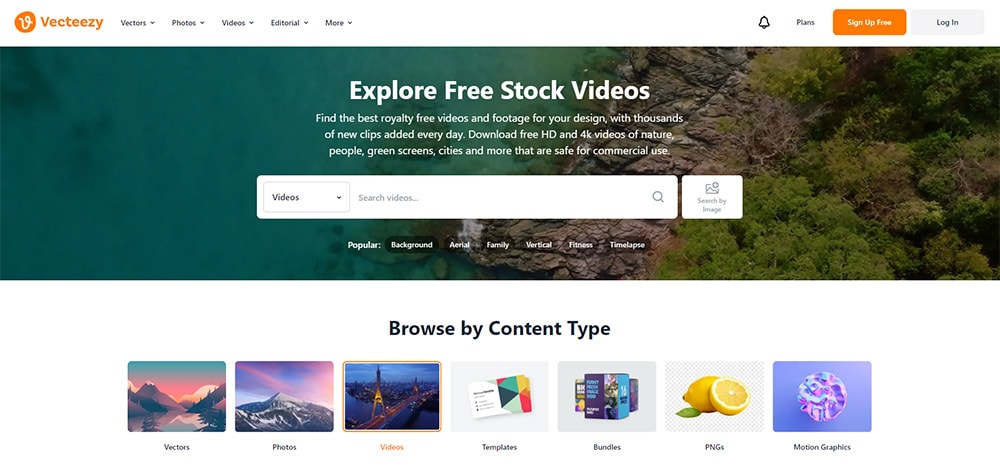
Beyond core management software, the wider stack matters too: our roundups of the best marketing tools overall, productivity tools for marketers, video editing tools for social content, free stock video libraries and free background-removal tools cover what sits around the scheduler.
Three narrower comparisons worth having alongside this one: Ocoya alternatives if AI credits are what you are budgeting, Hypefury alternatives if you need a tool that still publishes to X, and Vista Social alternatives if you are weighing platform breadth against the surcharge it carries.
For the AI-specific slice of this category, the best AI social media managers compares 7 tools on what the AI actually does rather than what it claims.
For the most-searched head-to-head in this category, see Later vs Hootsuite.
And if you are arriving here from Meta's free native tool rather than from a paid competitor, the Meta Business Suite switching guide covers the specific limits that push people to look, and when staying put is the better call.

Founder & CEO of PostEverywhere. Writing about social media strategy, publishing workflows, and analytics that help brands grow faster.